
1 Download Manager
Internet & Browsers · v2.2.25
A free download manager for Windows that handles HTTP, FTP, torrents, YouTube and streaming links with browser extensions, resumable downloads and a built‑in player.
FreeWin 11Win 10

Ardia is a free, open‑source Chromium‑based web browser that removes ads and trackers, adds a built‑in uBlock Origin, and offers a sidebar with pinned tiles and split‑view panes.
 Win 11
 Win 10
64-bit · Portable · official file from github.com
Ardia provides a Chromium browsing experience without Google services. It places the address bar in a sidebar, lets you split windows into multiple panes, and includes privacy features like built‑in ad blocking and optional crash‑reporting. Profiles keep separate data and sync through iCloud Drive.
Ardia is built on Chromium 158 and removes Google background services, offering a cleaner, faster browser. The sidebar can hold pinned sites, and you can drag tabs to create up to three side‑by‑side or stacked panes. A picture‑in‑picture mode keeps videos playing when you switch tabs. Extensions from the Chrome Web Store work normally, and the browser includes a full uBlock Origin filter list with cookie‑banner handling. Profiles store bookmarks, history, passwords and can import data from other browsers. Themes let you set gradient colours per profile. Sync is end‑to‑end encrypted via your iCloud Drive, with no external servers. Background tabs beyond the five most recent are frozen to save resources, and the browser stays idle at very low CPU usage. Updates are applied silently and then shown to the user.
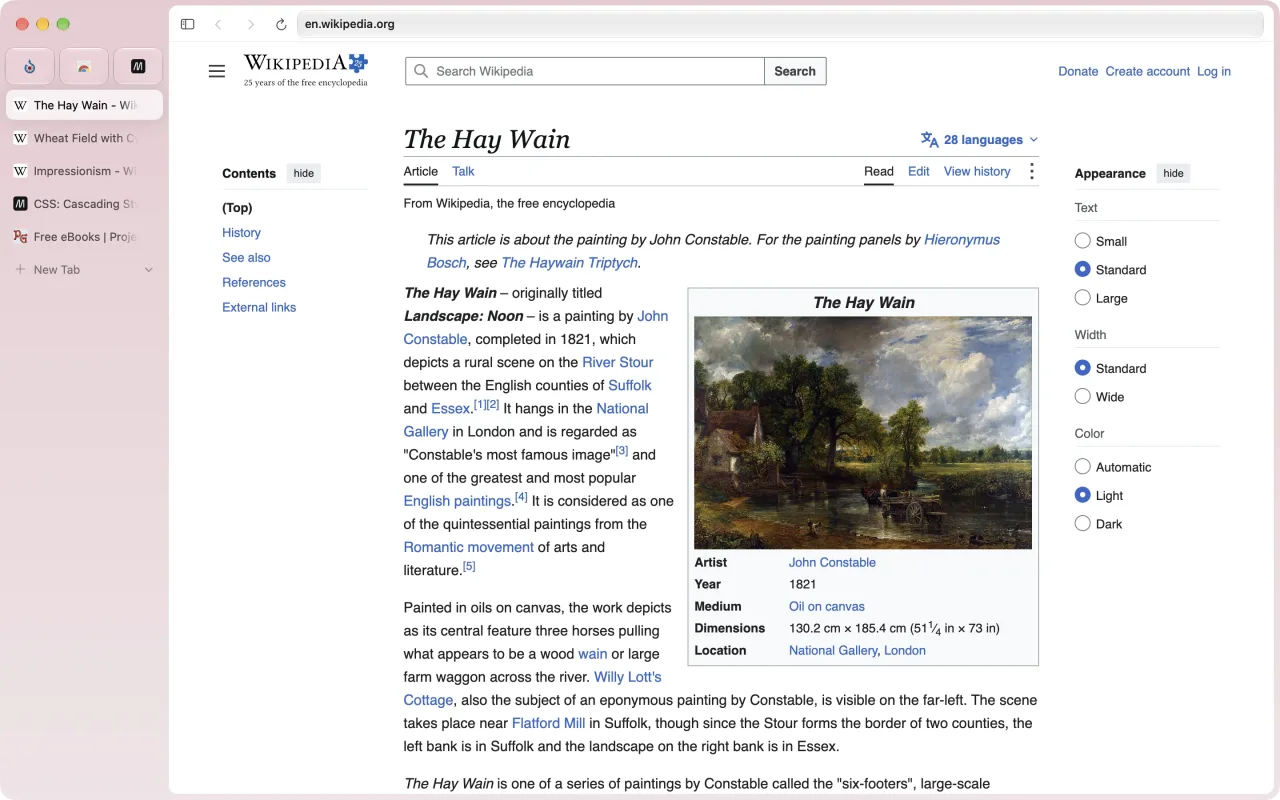
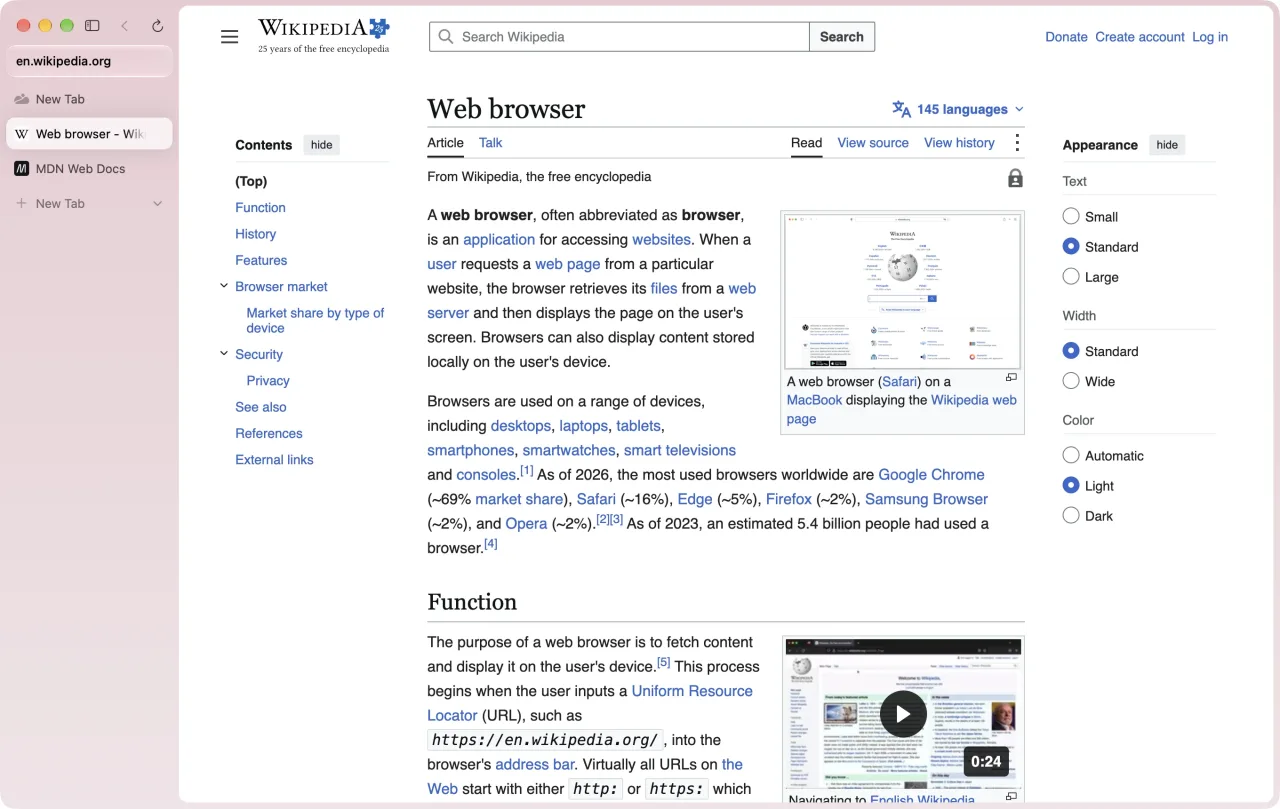
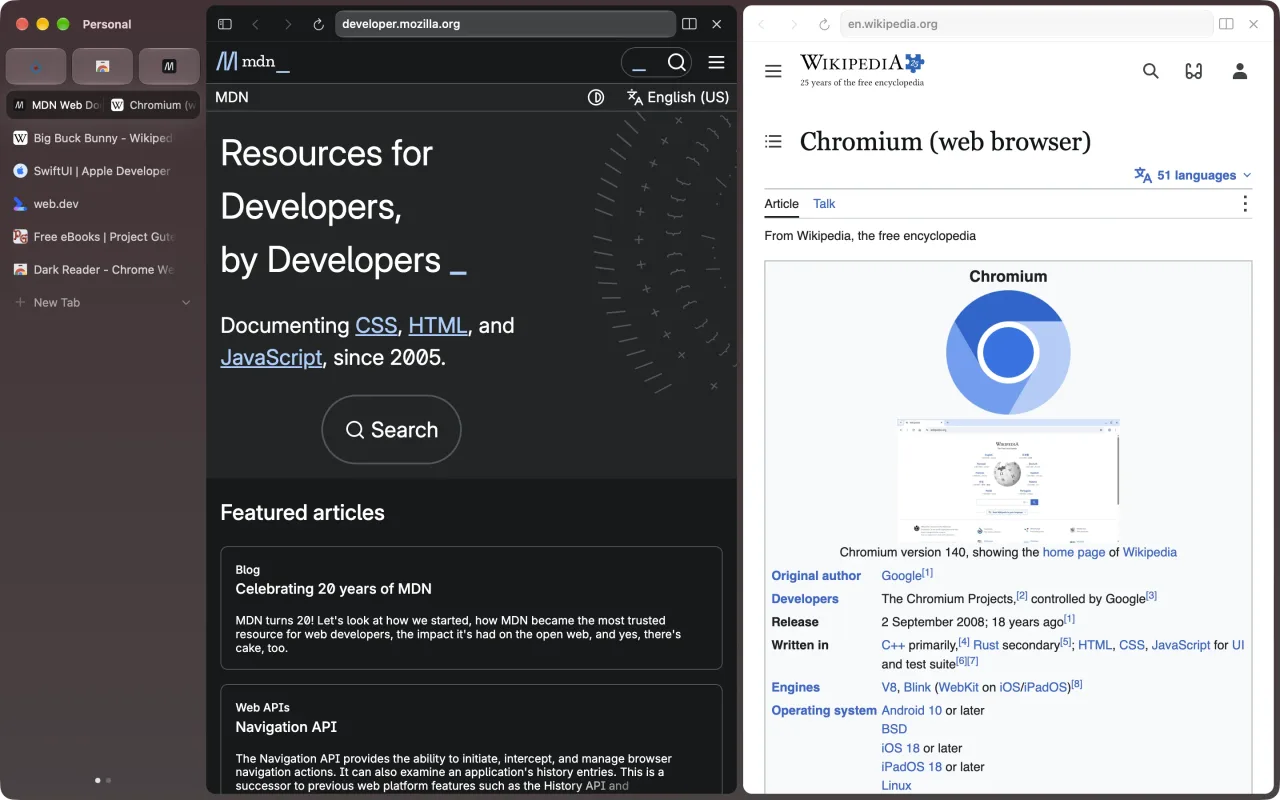
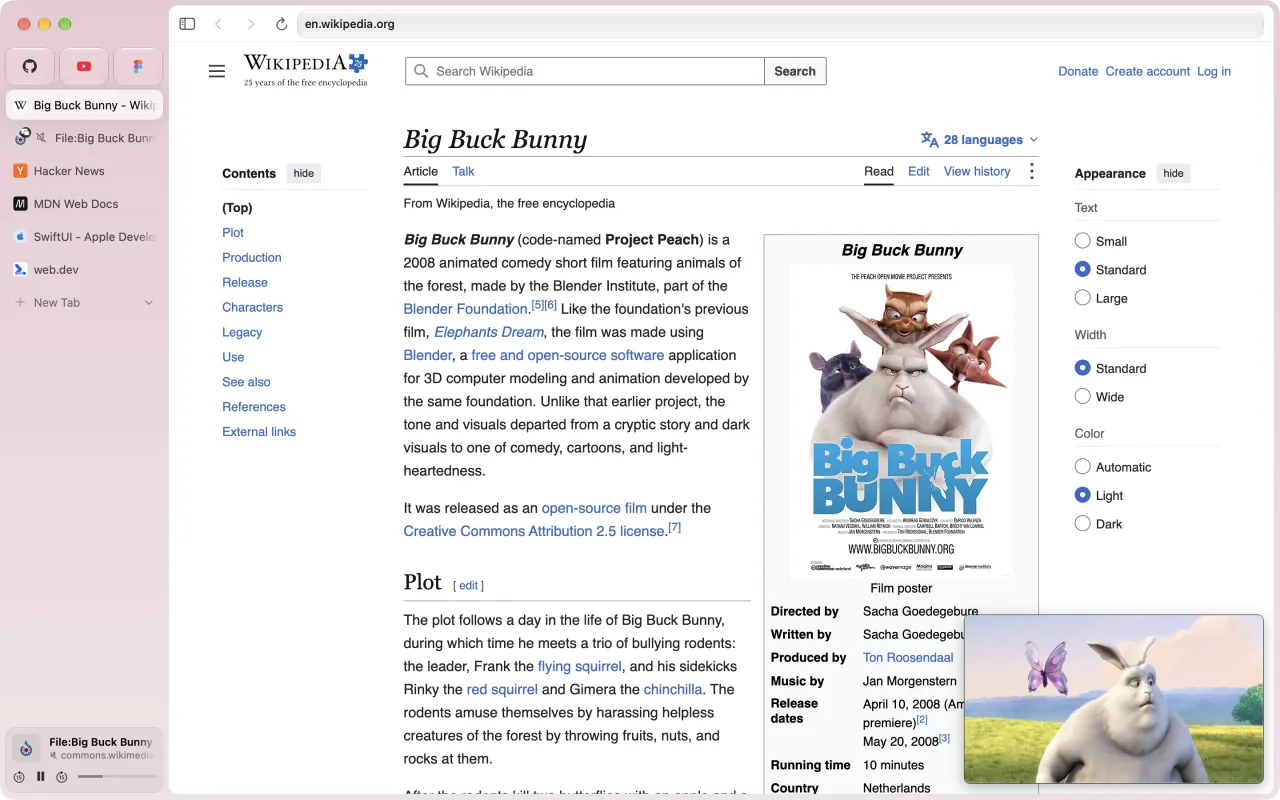
Screenshots from the official Ardia project. Click an image to enlarge it.
All files come directly from the official Ardia project on github.com. Codehimblog does not host or change them. Most PCs need the 64-bit installer.
| File | Size |
|---|---|
| Portable version (no install needed) · 64-bitardia-engine-win-x64.zip | 190.6 MB |
| Portable version (no install needed) · ARMardia-engine-win-arm64.zip | 175.7 MB |
Only needed if the latest version does not work for you. Older versions may miss security fixes.
| Windows | Status |
|---|---|
| Windows 11 | Supported |
| Windows 10 | Supported |
Yes, it is free and open source.
The browser is built from Chromium source and does not send data to external servers; sync is encrypted through your iCloud Drive.
Ardia updates itself automatically and notifies you of changes after each update.
Remove the program folder from your system like any other portable application.
An internet connection is required for browsing, but the browser can be installed and run offline.
Free and open source (GPL-3.0). You can use it for free at home and at work.
More Internet & Browsers software and similar free programs for Windows.
Internet & Browsers · v2.2.25
A free download manager for Windows that handles HTTP, FTP, torrents, YouTube and streaming links with browser extensions, resumable downloads and a built‑in player.

Internet & Browsers · v12.21.2
A browser built for keeping the Open, Private and Sustainable Web alive, based on Mozilla Firefox.

Internet & Browsers · v2.7.0
PiPixiv is a third‑party client for the Pixiv art platform that lets you browse illustrations, manga and novels, view rankings, search content and download images on Windows.

Internet & Browsers · v1.0.0
LibreGet is a free open‑source download manager and media toolbox for Windows that can download files from courses, YouTube, social sites and many other services, then transcribe, convert and organise the saved content.

Internet & Browsers
A free, open‑source downloader that combines cloud downloading, BitTorrent, and file sharing in one program.

Internet & Browsers · v1.2.0
Floating chat head application that lets you run multiple messenger accounts in lightweight, movable windows on your desktop.

Internet & Browsers · v0.5.5
Linger is a self‑hosted chat and voice application for small groups of friends, providing text rooms, voice rooms, direct messages, file sharing and a buddy list.

Internet & Browsers · v4.2.5
StuDev is an open‑source digital campus platform that provides timetables, classroom availability, navigation and unified search for university students and clubs.

Audio & Video · v1.4.1
An OBS Studio plugin that removes or replaces the background in portrait video and enhances low‑light scenes using a neural network.

Developer Tools · v0.8.0
Servo is an experimental web browser engine written in Rust that can run web pages and be used for testing web technologies on Windows.

Graphics & Image Editing · v0.6.1.0
VirtualPaper is a free, open‑source wallpaper application for Windows that lets you use images, videos, GIFs and interactive web wallpapers with built‑in editing, 3D parallax and atmosphere effects.

Audio & Video · v3.0.0-3
MotionBox is a video browser that lets you stream, organize and share videos from many online sources in one place.