
ReelTerminal
Audio & Video · v1.5.0
ReelTerminal is a video editing tool designed for collaborative workflows with AI assistants, letting users edit timelines, add subtitles, and export finished videos.
Open sourceWin 11Win 10

ClipMint is a free, open‑source program that turns long videos, podcasts, vlogs or game streams into short, captioned clips for YouTube Shorts, Instagram Reels and TikTok, all on your PC.
 Win 11
 Win 10
Version 1.31.4 · Installer · official file from github.com
ClipMint lets you create short, vertical videos with automatic captioning and suggested titles, hashtags and rankings. It works locally, so no subscription or watermark is added, and you decide when to upload the result to YouTube.
The software analyses the content of a video, detects the most interesting moments, trims the clip to a 9:16 aspect ratio, adds word‑by‑word captions using a local Whisper model, removes dead air and generates a title, description and hashtags. You can review why each clip was chosen, edit the output and optionally upload directly to your YouTube channel. ClipMint runs on Windows and does not require any additional installations such as Python or FFmpeg; just double‑click the executable to start.
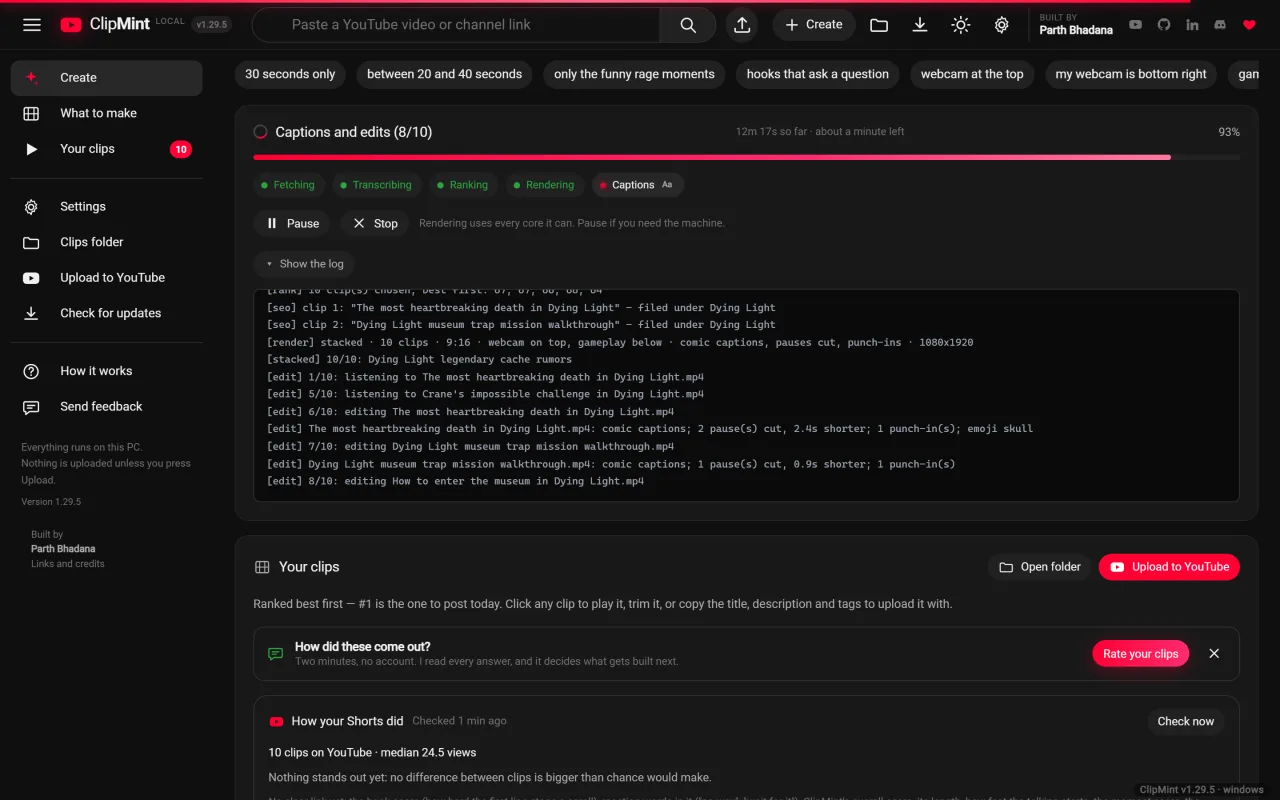
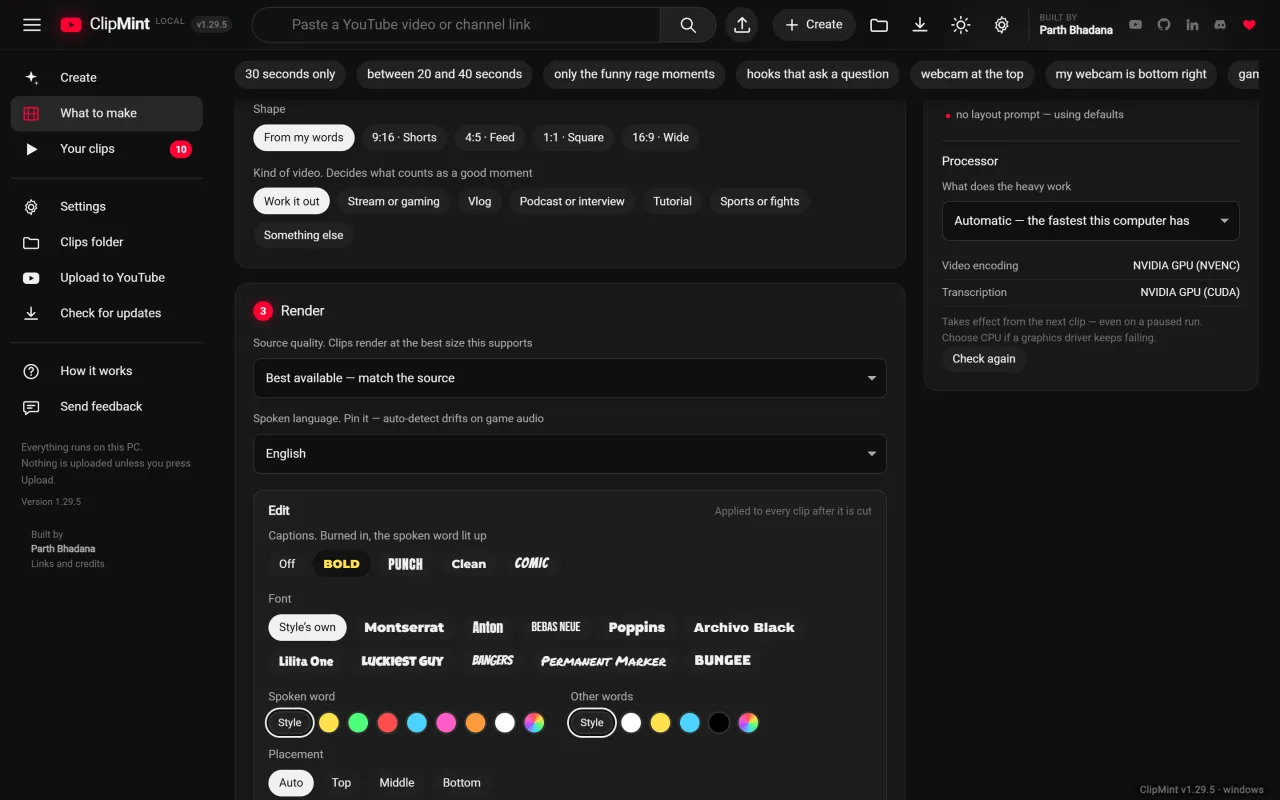
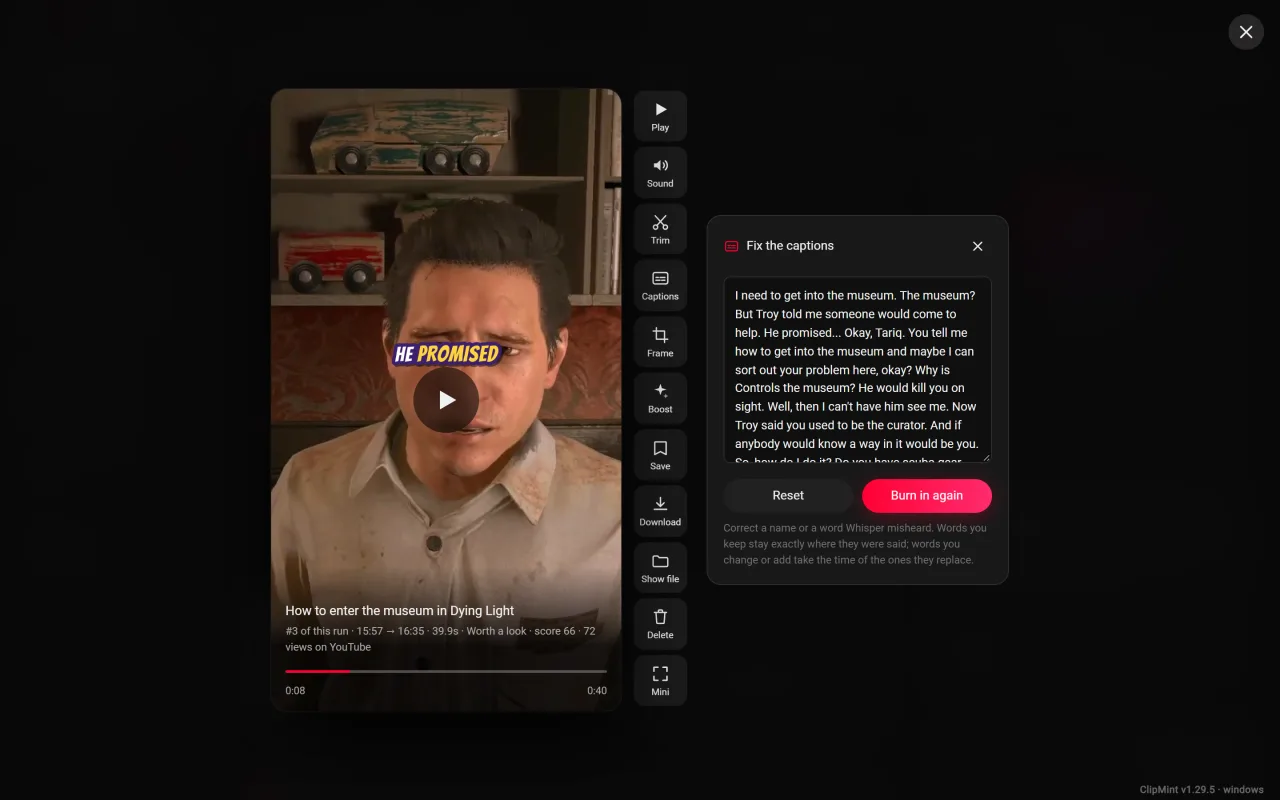
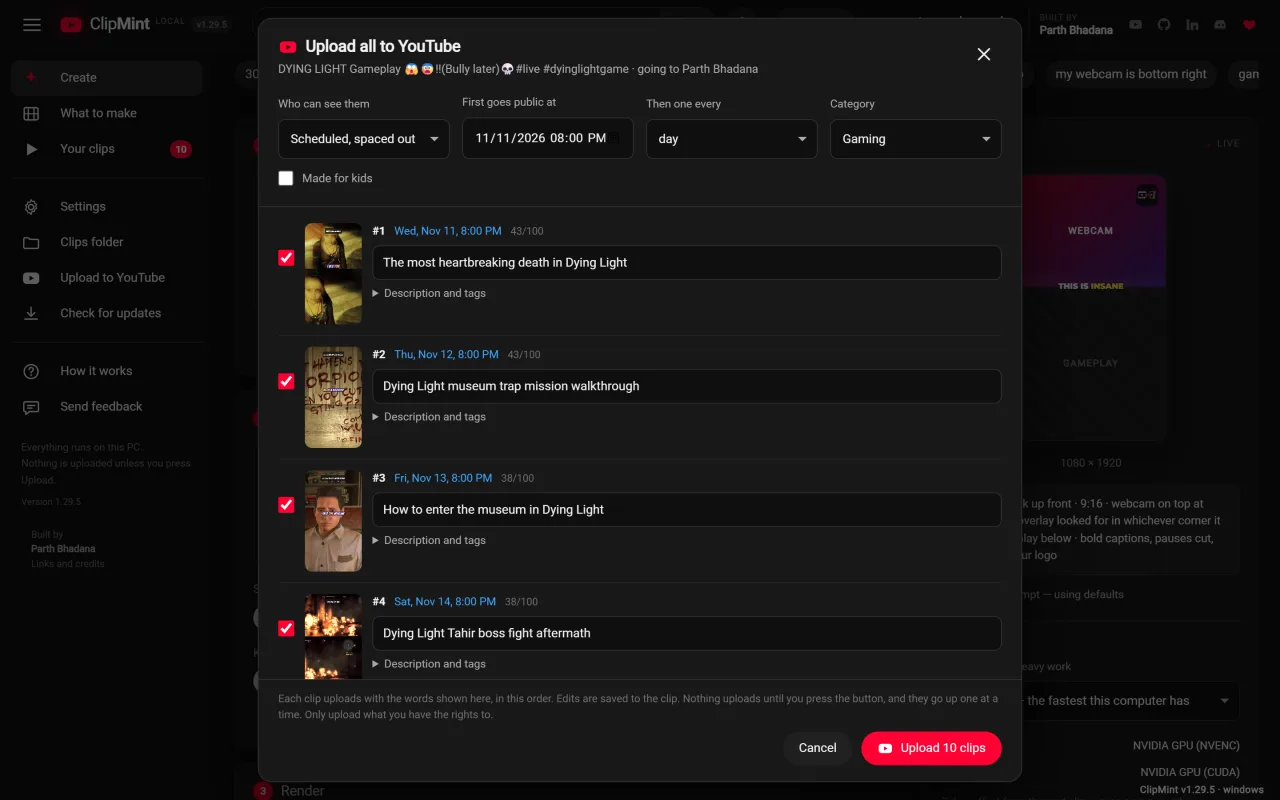
Screenshots from the official ClipMint project. Click an image to enlarge it.
All files come directly from the official ClipMint project on github.com. Codehimblog does not host or change them. Most PCs need the 64-bit installer.
| File | Size |
|---|---|
| Program file (EXE)ClipMint.exe | 229.6 MB |
| Program file (EXE)StreamToShorts.exe | 229.6 MB |
Only needed if the latest version does not work for you. Older versions may miss security fixes.
| Version | Released | Windows download |
|---|---|---|
| 1.31.3 | 20 November 2026 | Download (229.6 MB) |
| 1.31.2 | 16 November 2026 | Download (226.6 MB) |
| 1.31.1 | 16 November 2026 | Download (226.6 MB) |
| 1.31.0 | 16 November 2026 | Download (226.6 MB) |
| 1.30.0 | 14 November 2026 | Download (226.5 MB) |
| 1.29.5 | 9 November 2026 | Download (223.5 MB) |
| 1.29.4 | 9 November 2026 | Download (223.5 MB) |
| 1.29.2 | 5 November 2026 | Download (223.5 MB) |
| Windows | Status |
|---|---|
| Windows 11 | Supported |
| Windows 10 | Supported |
Yes, it is completely free and open source.
The program runs locally and does not require an internet connection except when you choose to upload a clip, so it is safe to use.
Download the latest Windows executable from the project's release page.
Delete the ClipMint.exe file and any shortcuts you created.
Only if you want to upload clips to YouTube; all other functions work offline.
Free and open source (MIT). You can use it for free at home and at work.
More Audio & Video software and similar free programs for Windows.
Audio & Video · v1.5.0
ReelTerminal is a video editing tool designed for collaborative workflows with AI assistants, letting users edit timelines, add subtitles, and export finished videos.

Audio & Video · v0.1.283
Scarlet is an open-source AI video editor for macOS, Windows and Linux.

Audio & Video · v0.4.48
AgentShot is an open‑source AI‑powered video editor that lets you edit footage by speaking commands or pointing at frames, creating new versions for each change.
Audio & Video · v4.0.0
Aurora is a free, open‑source music player for Windows that plays local files and streams from many services such as Navidrome, Jellyfin, Plex, YouTube Music, SoundCloud and Spotify.
Audio & Video · v31.9.0
A command‑line tool that automatically trims and edits video and audio files based on silence, volume and motion detection.

Audio & Video · v33.0.1
Free and open-source software for screen recording and live streaming, built around scenes, sources and an audio mixer.

Audio & Video · v14.0.1
Free desktop downloader for YouTube, Spotify, TikTok, Instagram, SoundCloud and over a thousand other sites, allowing you to save videos and music as MP3, FLAC, MP4 up to 4K.

Audio & Video · v8.9.2
A native desktop client that lets you watch Twitch, YouTube, Kick and TikTok streams in one window, with chat and emotes integrated.

Audio & Video · v0.8.0
Cutlass is a free, open‑source video editor that lets you edit footage on a timeline and also offers an AI assistant you can talk to for editing commands.

Audio & Video · v14.0.1
Metrolist is a free, open‑source YouTube Music client that runs on Windows, letting you stream music and videos without ads.

Audio & Video · v0.15.0
MiBee NVR is a lightweight self‑hosted network video recorder that runs as a single Windows executable and provides a web interface for live view, recording and AI detection of IP cameras.

Audio & Video · v1.7.0
A Windows music player with audio analysis, waveform seek bar, and support for many audio formats and internet radio.