
Immage
Graphics & Image Editing · v0.45.0
Immage is a raw photo editor that provides familiar panels, sliders and shortcuts for editing photos, built on darktable.
Open sourceWin 11Win 10

An open‑source Canva‑like editor that runs in the browser and can be self‑hosted.
 Win 11
 Win 10
Version 0.3.23 · 64-bit · Portable · official file from github.com
HyCanvas is a web‑based design editor that lets you create social media graphics, posters, presentations, videos, whiteboards, documents and spreadsheets. It offers many ready‑made templates and lets you export your work in common formats without watermarks.
HyCanvas provides a full‑featured design environment similar to popular online design tools. You can start from over 140 built‑in templates or a blank canvas, edit shapes, text, images, charts and more, and organise your work with layers and a floating toolbar. The editor includes a multi‑track video timeline, a block‑style document editor, and a spreadsheet with formulas. Real‑time collaboration lets multiple users edit together, see each other's cursors, comment, and manage version history. Workspaces support role‑based access, single sign‑on, two‑factor authentication and brand guidelines. AI assistance can generate content using your own API key, while many features work without any key. All designs can be exported as PNG, JPG, PDF, SVG, PPTX, MP4, GIF and other formats, and each project can be saved as a portable .hyc file.
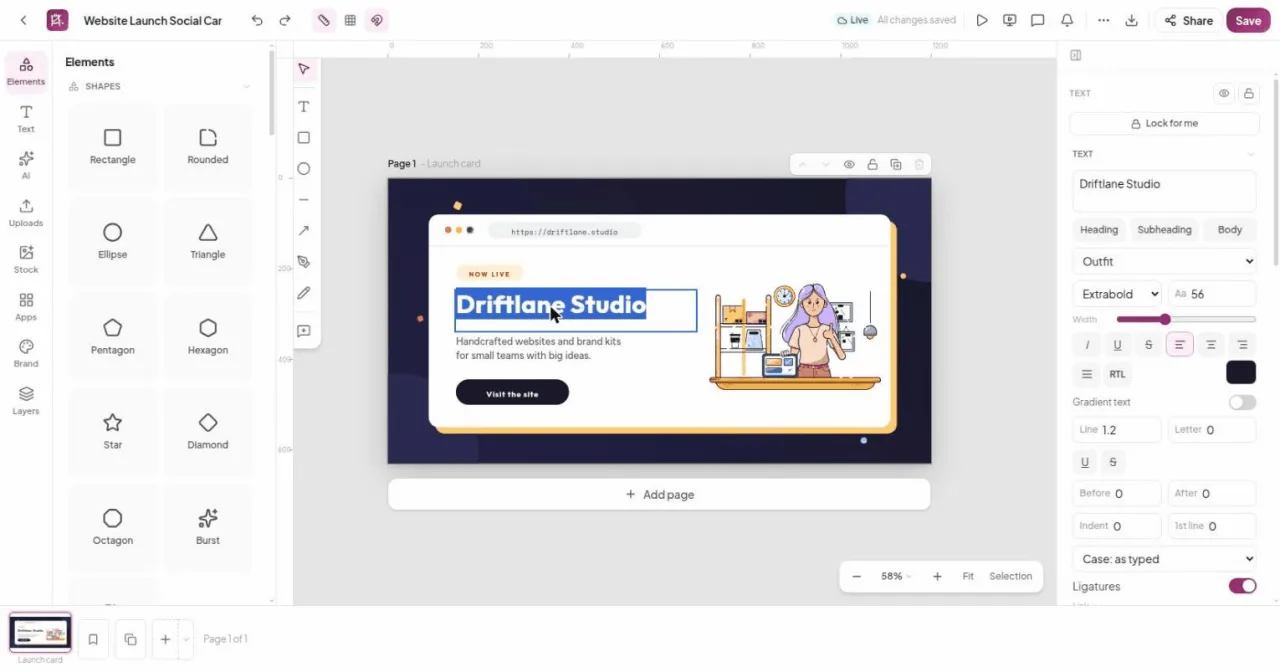
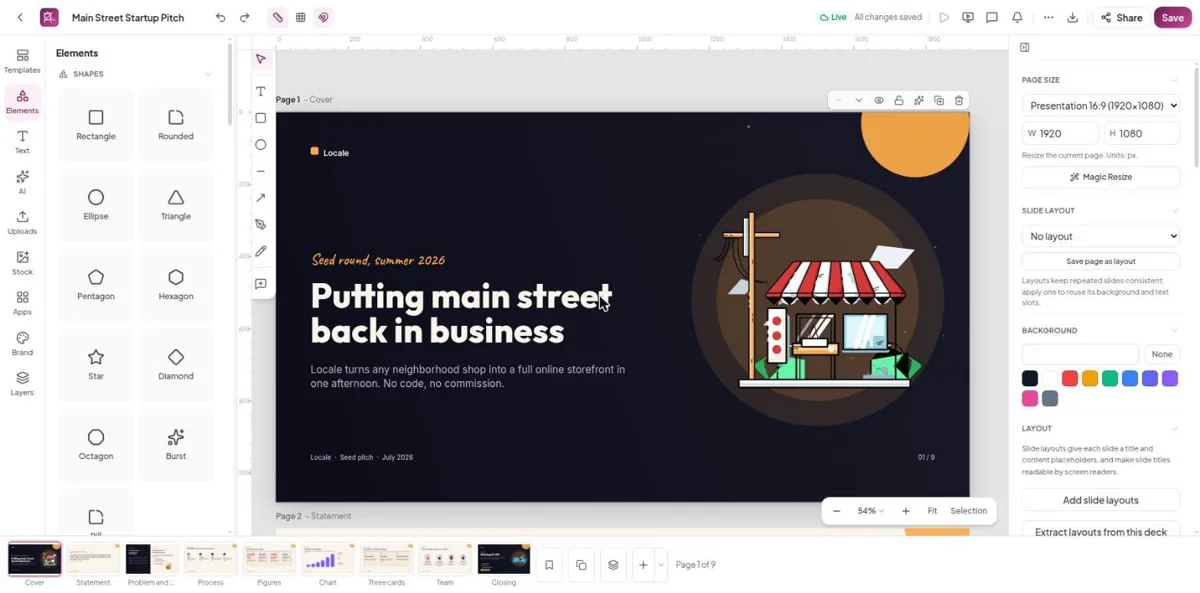
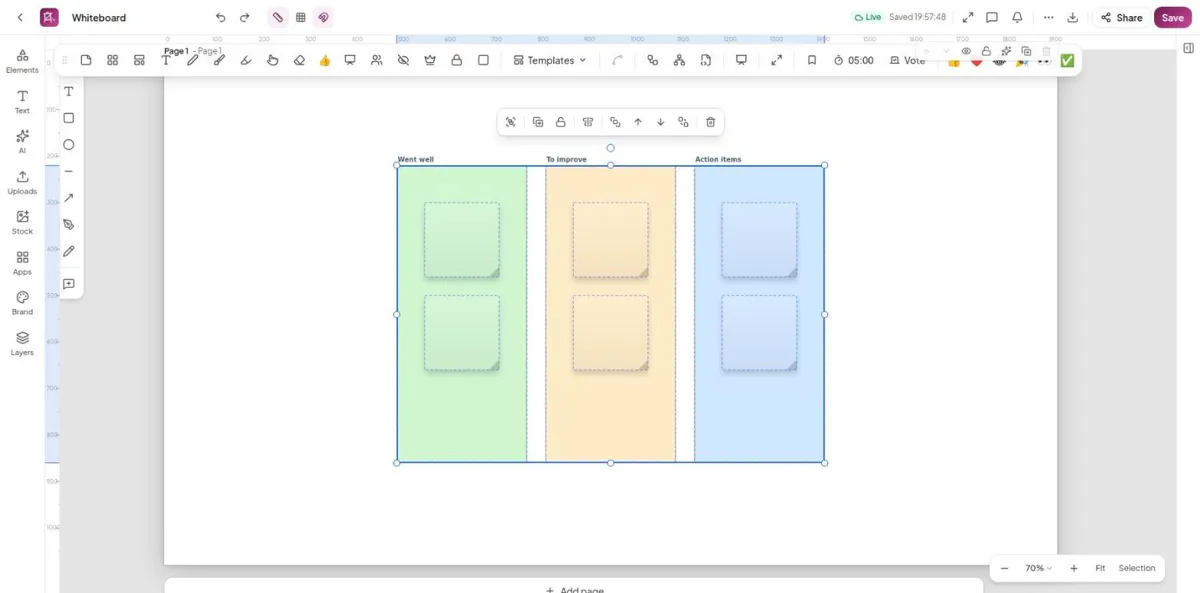
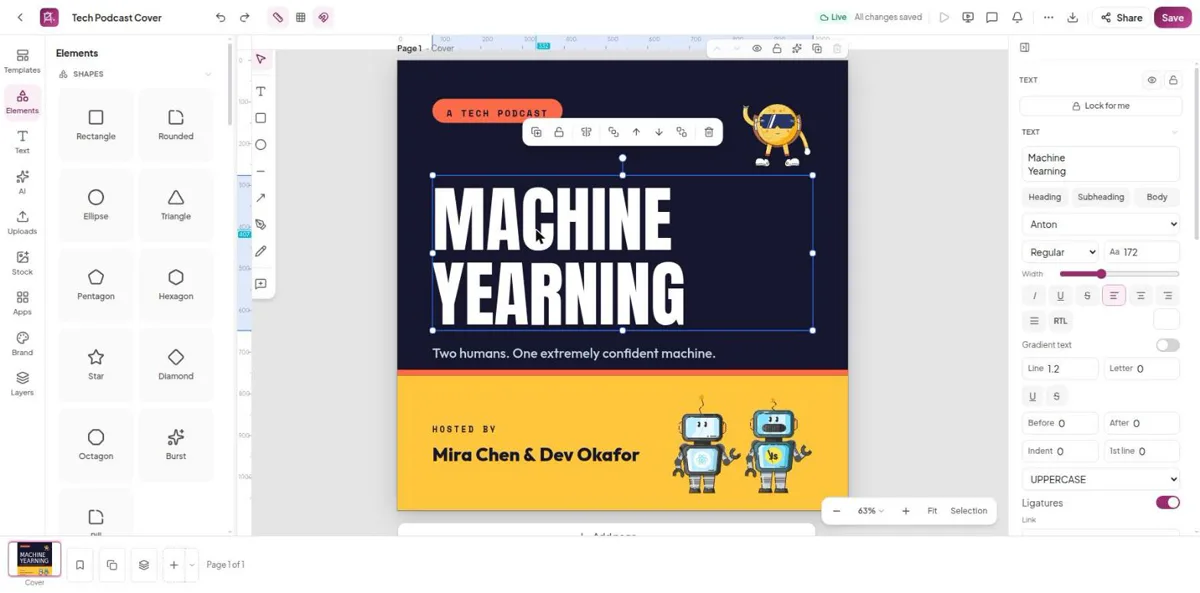
Screenshots from the official HyCanvas project. Click an image to enlarge it.
All files come directly from the official HyCanvas project on github.com. Codehimblog does not host or change them. Most PCs need the 64-bit installer.
| File | Size |
|---|---|
| Portable version (no install needed) · 64-bithycanvas_v0.3.23_windows_amd64.zip | 57.4 MB |
Only needed if the latest version does not work for you. Older versions may miss security fixes.
| Version | Released | Windows download |
|---|---|---|
| 0.3.22 | 16 November 2026 | Download (57.1 MB) |
| 0.3.21 | 13 November 2026 | Download (42.5 MB) |
| 0.3.20 | 6 November 2026 | Download (35.2 MB) |
| 0.3.19 | 4 November 2026 | Download (35.2 MB) |
| 0.3.18 | 26 October 2026 | Download (35.2 MB) |
| 0.3.17 | 15 October 2026 | Download (35.2 MB) |
| 0.3.16 | 1 October 2026 | Download (35.2 MB) |
| 0.3.15 | 22 September 2026 | Download (30.5 MB) |
| Windows | Status |
|---|---|
| Windows 11 | Supported |
| Windows 10 | Supported |
Yes, it is open‑source and free to use.
The program runs inside Docker containers, keeping it isolated from the host system.
Pull the latest Docker images and restart the containers with docker compose pull && docker compose up -d.
Stop and remove the Docker containers and delete the folder where you stored the compose files.
Docker needs to download images initially, but after that the editor works locally on your machine.
Free and open source (AGPL-3.0). You can use it for free at home and at work.
More Graphics & Image Editing software and similar free programs for Windows.
Graphics & Image Editing · v0.45.0
Immage is a raw photo editor that provides familiar panels, sliders and shortcuts for editing photos, built on darktable.

Graphics & Image Editing
FerrumPix is a desktop photo manager and image editor that lets you organize, view, and edit photos on your computer.

Graphics & Image Editing · v0.5.1
A self‑hostable slicer for non‑planar 3D printing built on the OrcaSlicer engine.

Graphics & Image Editing · v2.1.1
An extensible companion for the PhotoCraft graphics editor that adds AI-powered tools, a floating tool palette, and a plugin marketplace.

Graphics & Image Editing · v2.2.3
PhotoSlide is a simple photo management and editing program with a modern JavaFX interface, aimed at users who need basic organization and light editing without a subscription model.

Graphics & Image Editing · v22.4.0
A free, open-source screen capture, screen recording and file-sharing tool for Windows with configurable after-capture workflows.
Graphics & Image Editing · v0.11.0
A professional raw photo editor with accurate color, for Linux, macOS and Windows.

Graphics & Image Editing · v0.5.1
Open‑source 2D skeletal animation editor for creating and exporting animations for games and film.

Graphics & Image Editing · v1.0.138
PicasaPy is a free, open‑source photo manager and editor for Windows that works with the same .picasa.ini format as the original Google Picasa.

Graphics & Image Editing · v1.2.11
Chromasmith is a free offline photo editor that offers film‑style looks, grain, halation, RAW development and basic retouching tools.

Graphics & Image Editing · v0.9.28
A desktop image editor that replicates classic Adobe Photoshop with full PSD/PSB compatibility.

Graphics & Image Editing · v26.11.0
An open source alternative to the popular photo AI editor.