




MiniDock logo

MiniDock Free Download for Windows 10/11

MiniDock provides a lightweight Dock and a macOS‑style top status bar for Windows, letting you keep frequently used apps, windows, and system information easily accessible.

System Utilities Free Version 2.8.0
Works on:Win 11Win 10

Version 2.8.0 · Installer · official file from github.com

About MiniDock

MiniDock is a small, single‑file tool that adds a customizable Dock at the bottom of the screen and a top status bar similar to macOS. It runs without installation, registry changes, or background services and uses only native Win32 and GDI+ code.

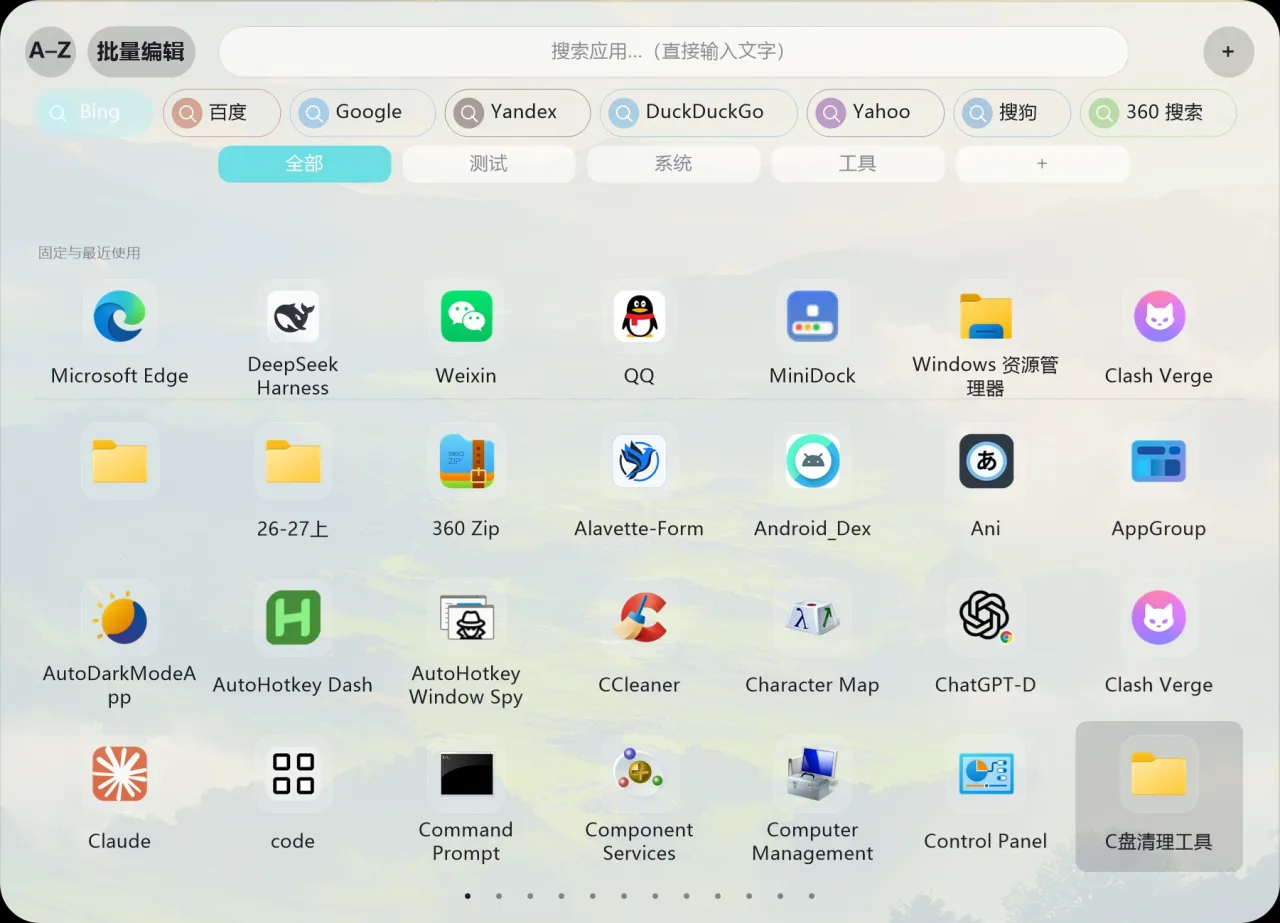
The program lets you pin applications, folders, URLs or Start‑menu items to the Dock, choose whether windows from the same app are grouped or shown separately, and see live thumbnail previews when you hover over icons. You can create groups of icons, adjust the curvature of folder expansion, and add temporary work‑spaces that clear on restart. The top status bar displays the clock, battery level, volume, Wi‑Fi, Bluetooth and other system indicators, and can be customized in size, color and opacity. MiniDock works on multiple monitors, with options to show the Dock on a specific screen, follow the mouse, or mirror across all screens. All visual effects can be tuned or disabled to keep resource usage low.

Key features

  • Pin apps, folders, URLs or Start‑menu items to a bottom Dock
  • Show each window separately or group them, with live thumbnail previews
  • Create named groups of icons with custom icons and background colors
  • Adjustable folder expansion arc and temporary work‑spaces that clear on reboot
  • Top status bar shows clock, battery, volume, Wi‑Fi, Bluetooth and more
  • Customize size, opacity and effects of both Dock and status bar
  • Supports multiple monitors with flexible placement options

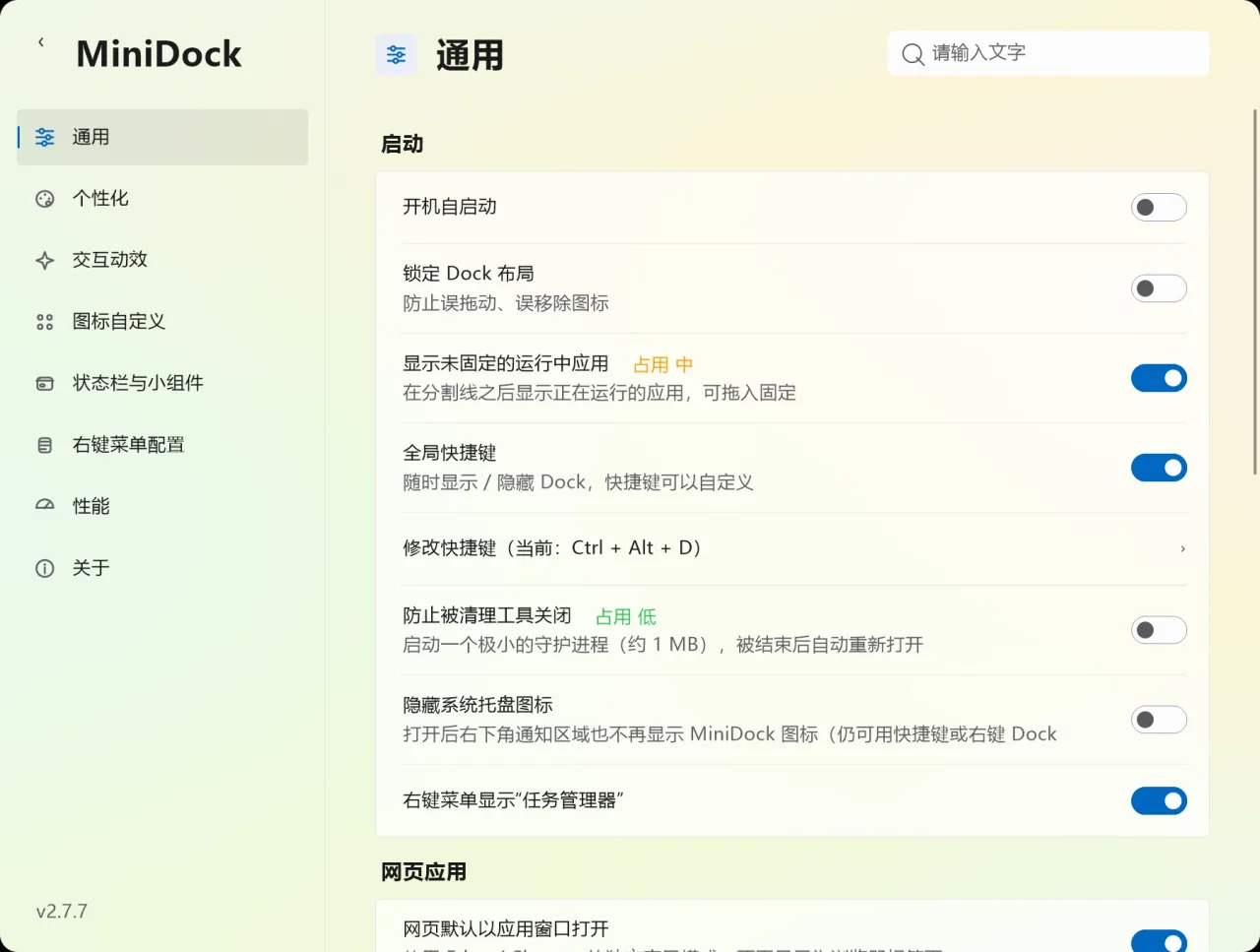
MiniDock screenshots

MiniDock screenshot 1
MiniDock screenshot 2

Screenshots from the official MiniDock project. Click an image to enlarge it.

Download MiniDock for Windows

All files come directly from the official MiniDock project on github.com. Codehimblog does not host or change them. Most PCs need the 64-bit installer.

FileSize
Program file (EXE)MiniDock-2.8.0.exe494.0 KB

Previous versions

Only needed if the latest version does not work for you. Older versions may miss security fixes.

VersionReleasedWindows download
2.7.715 November 2026Download (207.0 KB)
v2.7.5_beta13 November 2026Download (195.0 KB)
2.6.713 November 2026Download (190.0 KB)
2.6.612 November 2026Download (399.5 KB)
2.6.512 November 2026Download (394.5 KB)
2.6.311 November 2026Download (392.0 KB)
2.6.211 November 2026Download (184.5 KB)
v2.6.1_EN11 November 2026Download (437.0 KB)

How to install MiniDock

  1. Click the "Download MiniDock" button on this page. Your browser saves MiniDock-2.8.0.exe (494.0 KB), usually to your Downloads folder.
  2. Double-click the downloaded file to start MiniDock. It runs without installation; if Windows shows a security prompt, check that the file came from this page before you continue.
  3. Optional: move the file to a folder of its own (for example Documents\MiniDock) so it is easy to find next time.

Windows compatibility

WindowsStatus
Windows 11Supported
Windows 10Supported
Windows 8.1Not supported
Windows 8Not supported
Windows 7Not supported

Frequently asked questions

Is MiniDock free to use?

Yes, it is free.

Is it safe to run on my computer?

It is a native Windows program without installers or background services, so it runs like any other portable app.

How do I get updates?

Download the latest release from the project's download page.

How do I remove MiniDock?

Delete the MiniDock.exe file; no additional cleanup is needed.

Does it need an internet connection?

No, it works entirely offline.

License

Free to download and use.

More System Utilities software and similar free programs for Windows.

All System Utilities software