
Cleanzo
System Utilities · v0.6.2
Cleanzo is a free, open‑source cleaner for Windows that scans for junk files, caches, leftover data from development tools and unused applications, and lets you safely delete them.
Open sourceWin 11Win 10

A free Windows system optimizer and cleaner that offers one‑click scans, junk file removal, memory optimization, startup management and system monitoring.
 Win 11
 Win 10
Version 3.2.1 · Installer · official file from github.com
PC Toolkit Pro is a lightweight Windows utility that helps keep your computer running smoothly. It can clean temporary and junk files, free up RAM, manage startup programs, and show live CPU, disk and GPU usage, all from a simple desktop interface.
The program provides several maintenance areas. The Junk/Disk Cleaner scans for temporary files, prefetch data, recycle bin contents and other unnecessary items, then lets you delete them with progress feedback. Deep Cleanup targets a wide range of caches from browsers, development tools, Docker, Conda and more, while protecting active project folders. PC Care runs a fast parallel scan that checks for privacy traces, broken shortcuts, registry leftovers, startup entries, security settings, Windows Update status and outdated applications, offering safe recommendations for cleanup. The Uninstaller lists installed desktop and Store apps with icons, sizes and install dates, allowing removal of programs and their leftover files. Memory Cleaner lets you select memory areas to free and can run automatically in the background. System Monitor displays live CPU, RAM, disk and GPU metrics and provides quick actions such as shutdown scheduling. The app runs in a modern GUI, can be minimized to the system tray, and supports automatic signed updates.
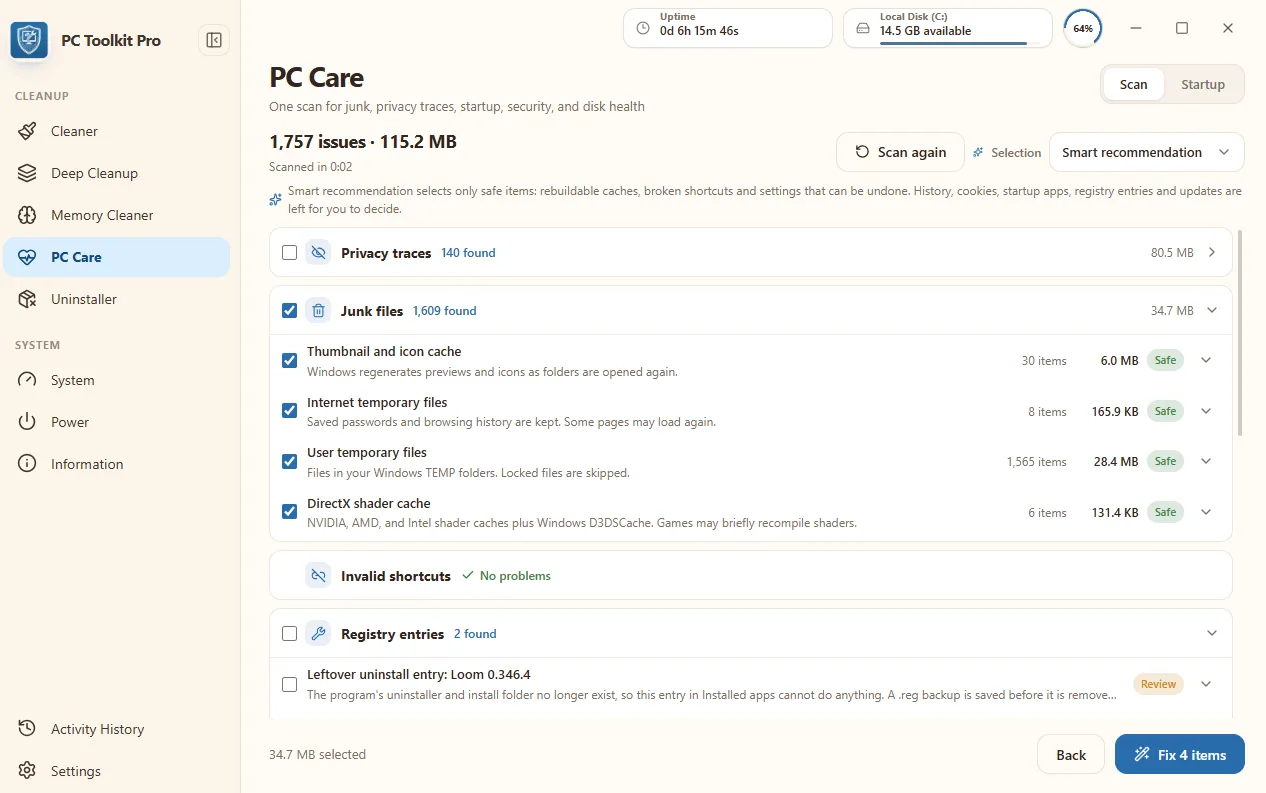
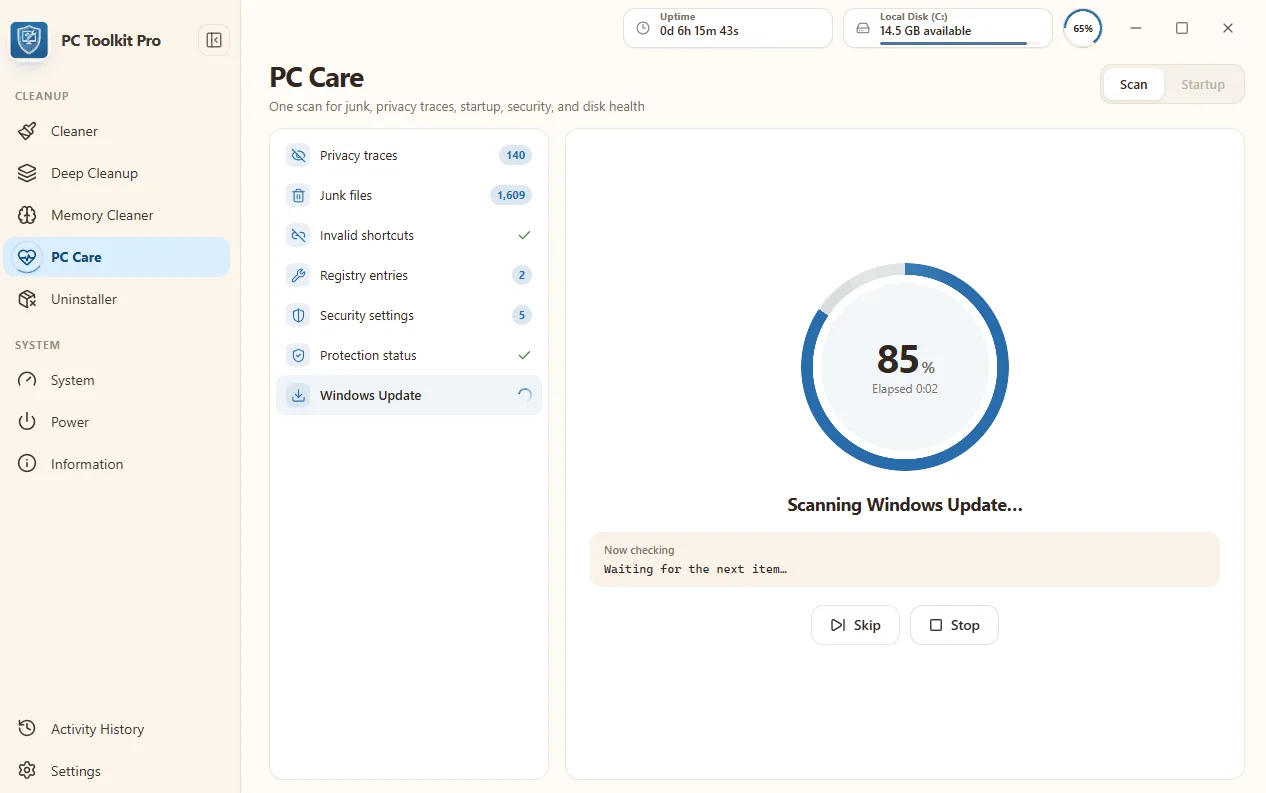
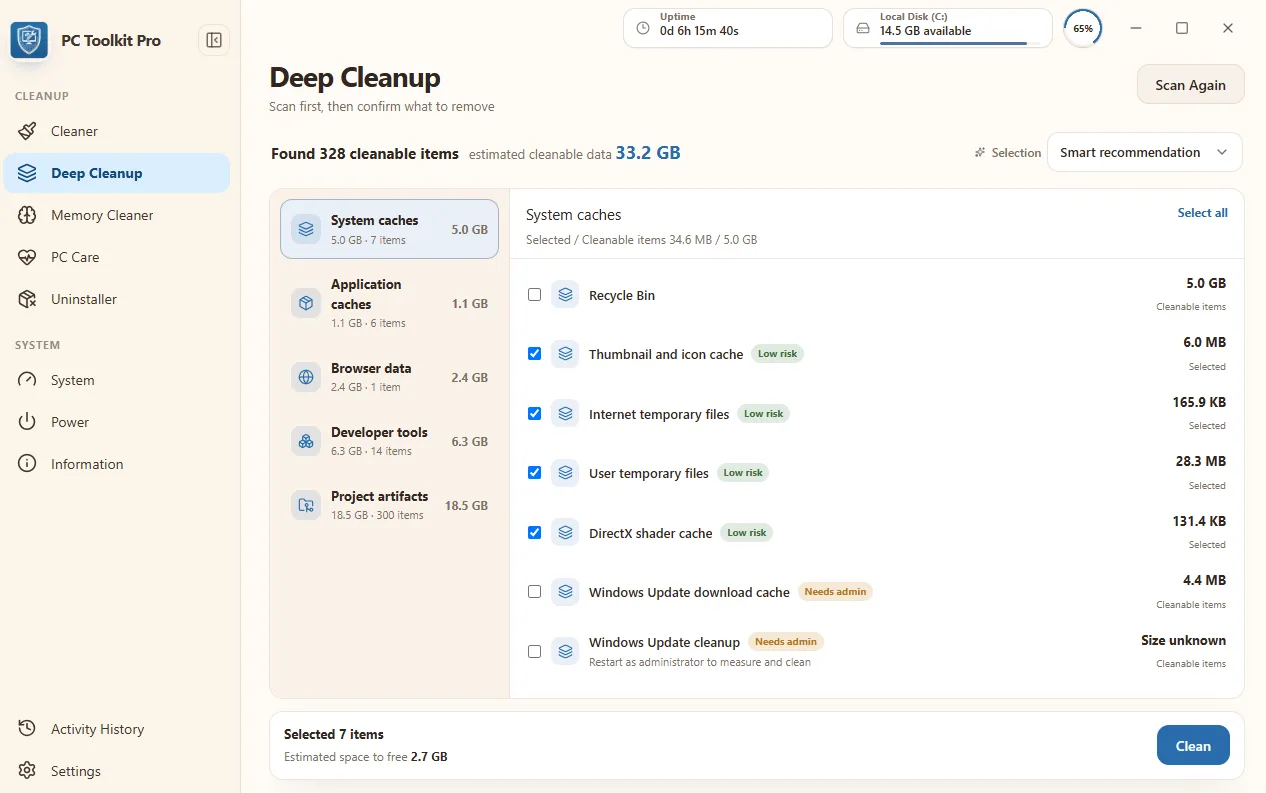
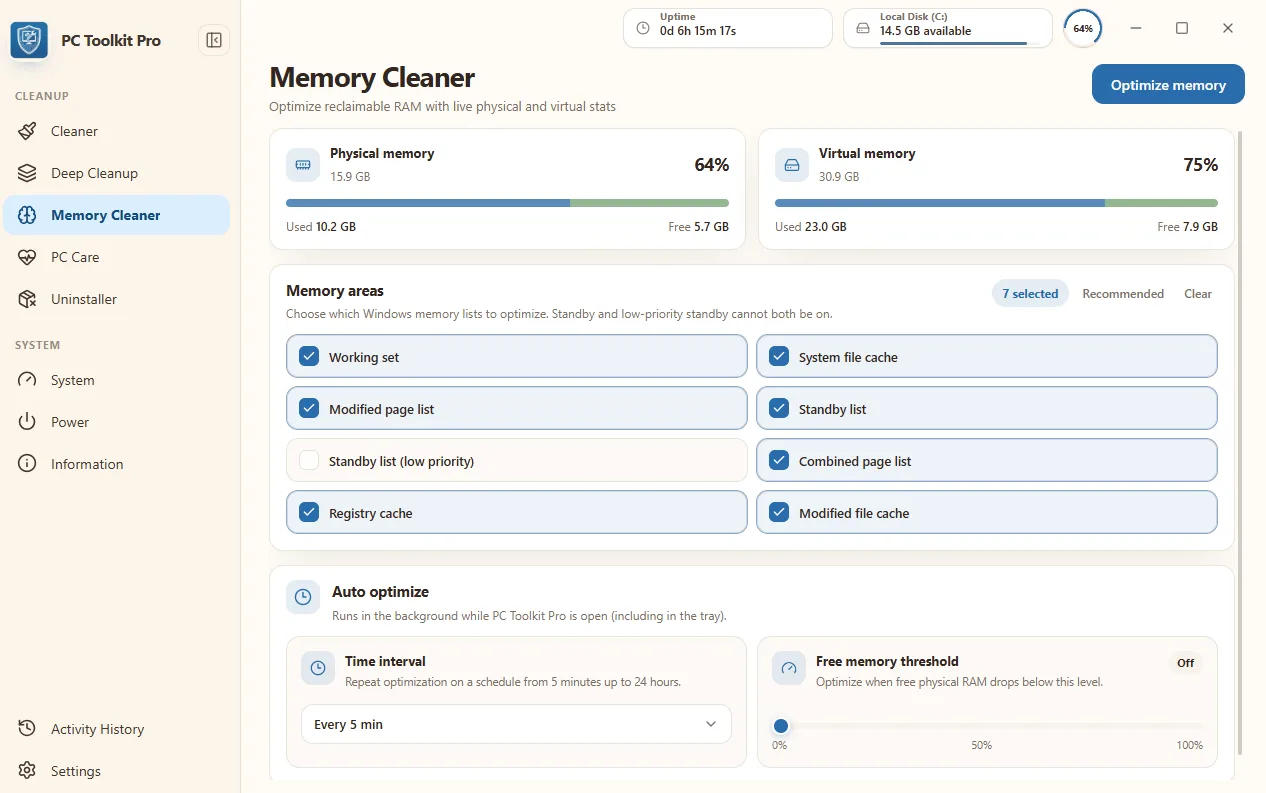
Screenshots from the official PC Toolkit Pro project. Click an image to enlarge it.
All files come directly from the official PC Toolkit Pro project on github.com. Codehimblog does not host or change them. Most PCs need the 64-bit installer.
| File | Size |
|---|---|
| Program file (EXE)PC.Toolkit.Pro.v3.2.1.exe | 18.2 MB |
| InstallerPC.Toolkit.Pro.v3.2.1.Setup.exe | 5.0 MB |
Only needed if the latest version does not work for you. Older versions may miss security fixes.
| Version | Released | Windows download |
|---|---|---|
| 3.2.0 | 23 November 2026 | Download (4.9 MB) |
| 3.0.2 | 3 September 2026 | Download (4.1 MB) |
| 3.0.0 | 3 September 2026 | Download (4.1 MB) |
| 2.9 | 13 August 2025 | Download (38.5 MB) |
| 2.8 | 13 August 2025 | Download (38.5 MB) |
| 2.7 | 11 August 2025 | Download (38.4 MB) |
| 2.6 | 11 August 2025 | Download (38.4 MB) |
| 2.5 | 11 August 2025 | Download (38.4 MB) |
| Windows | Status |
|---|---|
| Windows 11 | Supported |
| Windows 10 | Supported |
 Windows 8.1 | Not supported |
 Windows 8 | Not supported |
 Windows 7 | Not supported |
Yes, it is free and released under the MIT license.
The program is open source and does not contain hidden components; it only removes files it identifies as junk or caches.
The app includes signed automatic updates that check for new versions.
Use Windows' standard Add or Remove Programs feature.
An internet connection is only required for checking updates and online scans; core cleaning functions work offline.
Free and open source (MIT). You can use it for free at home and at work.
More System Utilities software and similar free programs for Windows.
System Utilities · v0.6.2
Cleanzo is a free, open‑source cleaner for Windows that scans for junk files, caches, leftover data from development tools and unused applications, and lets you safely delete them.

System Utilities · v1.1.0
Diskshaper scans your drives, groups files by type such as game caches, video editing leftovers, and duplicate photos, and lets you safely delete items that are marked as safe, sending them to the Recycle Bin.

System Utilities · v26.11.123
FluentCleaner is a transparent, community‑powered alternative to CCleaner for Windows.

System Utilities · v1.29.6
A modern, lightweight, community‑driven Windows system optimizer that cleans disk space, manages startup items and scans for malware.

System Utilities · v1.14.1
A desktop toolkit that lets you view information, install apps, update firmware and edit settings on Sony cameras over USB.

System Utilities · v0.1.5
Roomy scans your drives, shows what is using space in plain language and lets you safely clean files with one click.

System Utilities
A Chinese-language tool for managing installed software and performing system maintenance tasks on Windows, including package installation, system tweaks, update settings, and Windows image creation.

System Utilities · v6.0.6
BleachBit is a system cleaner that removes unnecessary files to free disk space and protect privacy.

System Utilities · v1.16.2
A free one‑click PC cleaner and optimizer that removes junk files, clears browser caches, updates drivers and programs, and performs basic system repairs.
System Utilities · v0.8.9
A lightweight Windows utility that lets you control privacy settings, remove unwanted built‑in apps, clean temporary files and access small system tools from the tray.

System Utilities · v2.5.2
Quiesce safely cleans Windows temporary files, system logs, update caches, and optimizes system memory without heavy installers or background processes.
System Utilities · v0.5.7
A lightweight Windows shell replacement written in Rust that provides an alternative taskbar, file explorer, search, task manager and disk cleaner.