
PhotoCraft
Graphics & Image Editing · v0.23.1
PhotoCraft is an open‑source photo editor written in Rust that aims to provide Photoshop‑like features such as layers, masks, adjustment layers and full PSD support.
Open sourceWin 11Win 10

ProCraft is an open‑source painting program for Windows that offers pressure‑sensitive brushes, layers, adjustments, animation and 3D painting using its own Rust engine and GPU renderer.
 Win 11
 Win 10
Version 0.0.6-beta · 64-bit · Installer · official file from github.com
ProCraft provides a full‑featured digital canvas for artists who want a free, cross‑platform drawing tool on Windows. It supports modern brush dynamics, layer blending, image adjustments and basic animation, all with hardware‑accelerated rendering.
ProCraft is built with a Rust graphics engine and uses the wgpu renderer to take advantage of the GPU. The user interface is created with egui, giving a consistent look across desktop platforms. Artists can work with pressure‑sensitive brushes, create multiple layers with blend modes, apply adjustments such as blur or color correction, and even animate frames or paint in 3D space. The application runs as a standard Windows program, available as an MSI installer or a portable ZIP archive. It is released under the Apache‑2.0 license and is free to use.
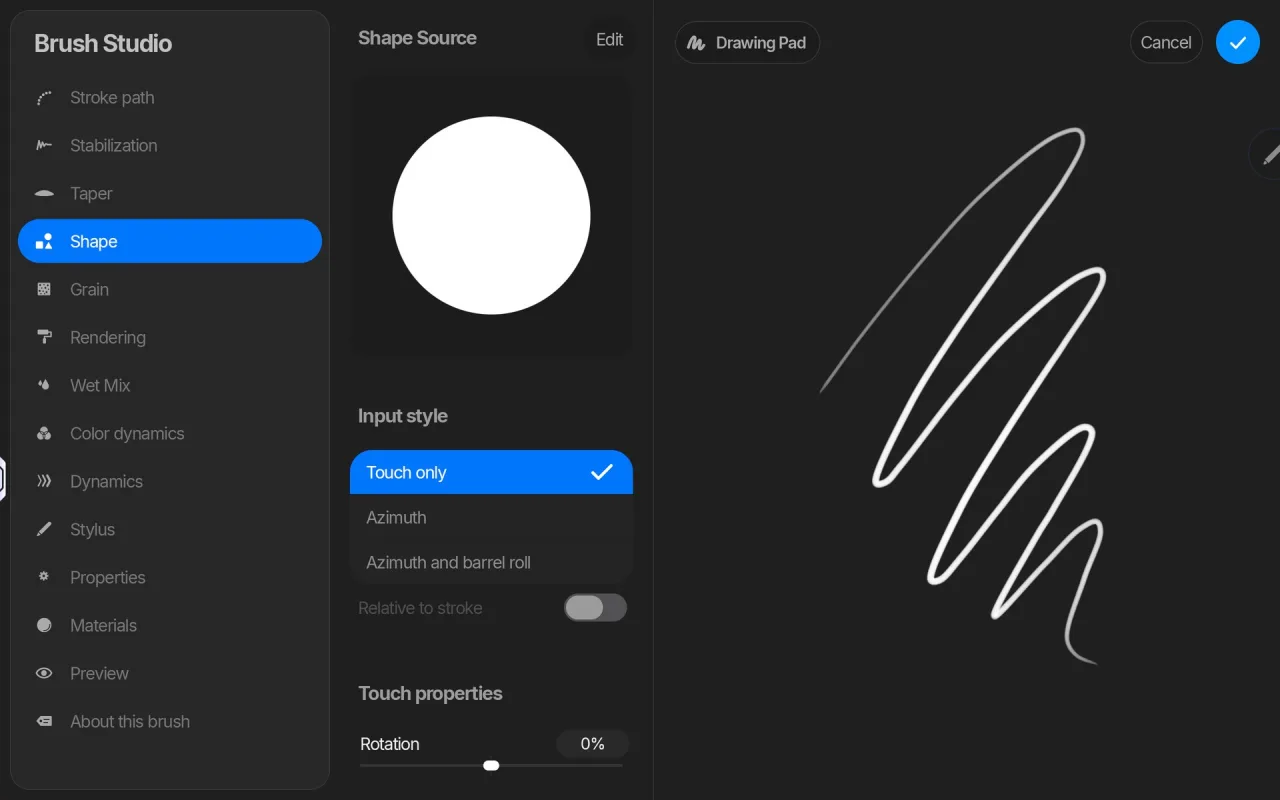
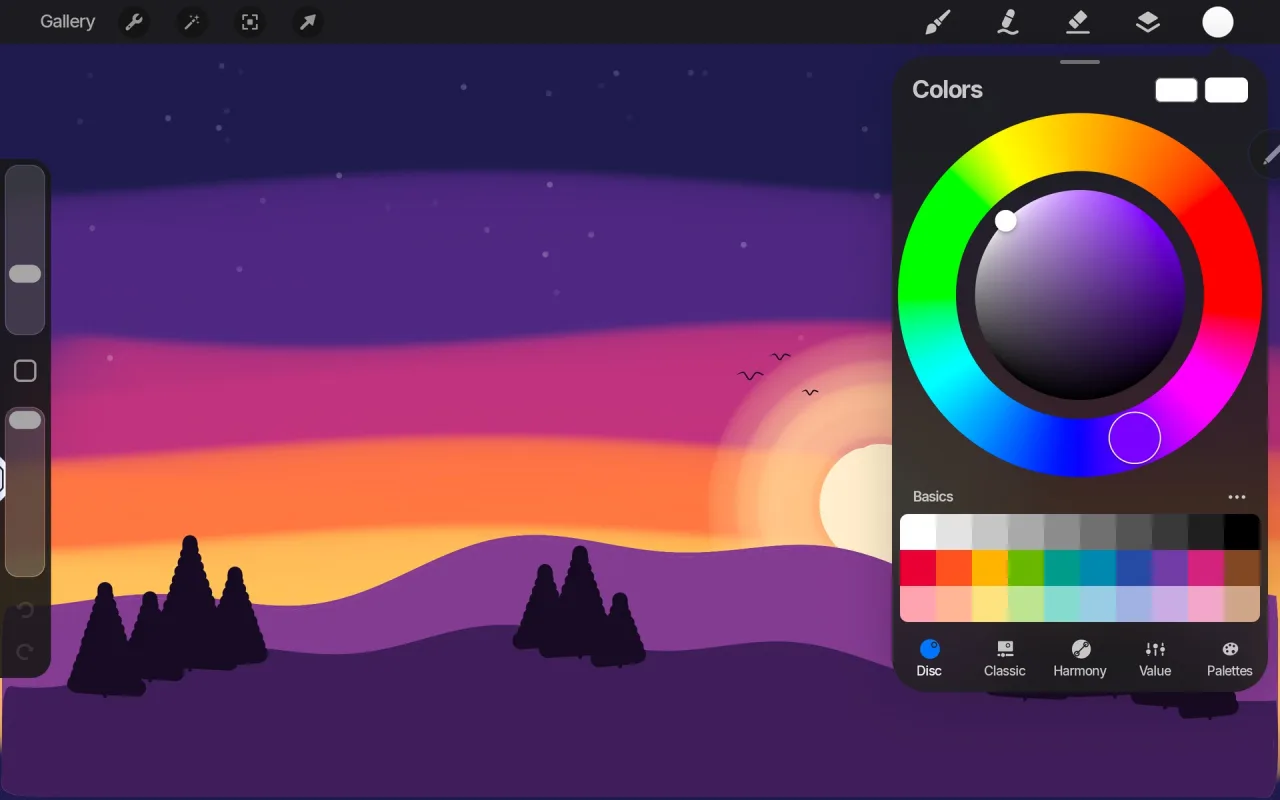
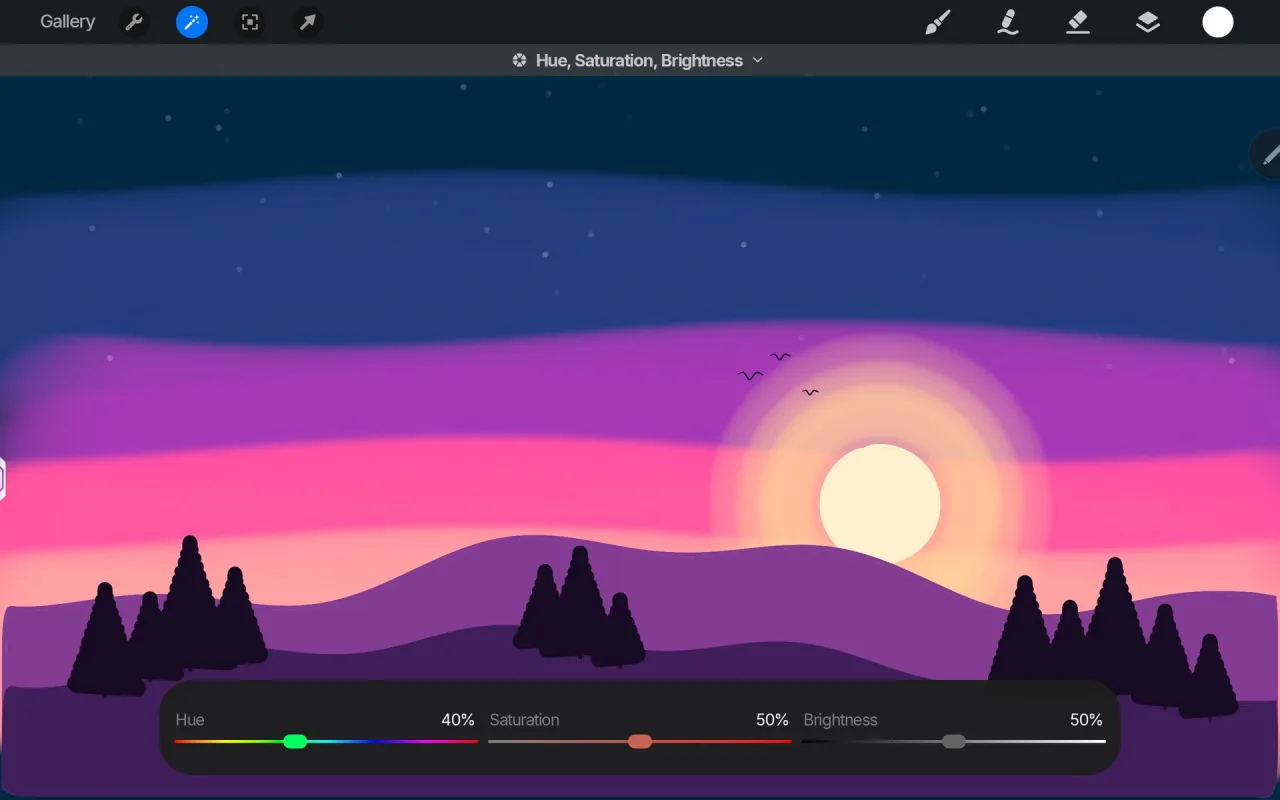
Screenshots from the official ProCraft project. Click an image to enlarge it.
All files come directly from the official ProCraft project on github.com. Codehimblog does not host or change them. Most PCs need the 64-bit installer.
| File | Size |
|---|---|
| MSI installer (for IT admins) · 64-bitprocraft-0.0.6-beta-windows-x64.msi | 18.5 MB |
| MSI installer (for IT admins) · ARMprocraft-0.0.6-beta-windows-arm64.msi | 17.4 MB |
| Portable version (no install needed) · 64-bitprocraft-0.0.6-beta-windows-x64-portable.zip | 22.3 MB |
| Portable version (no install needed) · ARMprocraft-0.0.6-beta-windows-arm64-portable.zip | 21.2 MB |
| Windows | Status |
|---|---|
| Windows 11 | Supported |
| Windows 10 | Supported |
 Windows 8.1 | Not supported |
 Windows 8 | Not supported |
 Windows 7 | Not supported |
Yes, it is open‑source and free.
The program is released under the Apache‑2.0 license and contains no hidden components.
New versions are provided as MSI installers or portable ZIP files that you can replace the existing files with.
Use the standard Windows Add or Remove Programs feature for the MSI version, or delete the portable folder for the ZIP version.
No, the application works offline after installation.
Free and open source (Apache-2.0). You can use it for free at home and at work.
More Graphics & Image Editing software and similar free programs for Windows.
Graphics & Image Editing · v0.23.1
PhotoCraft is an open‑source photo editor written in Rust that aims to provide Photoshop‑like features such as layers, masks, adjustment layers and full PSD support.

Graphics & Image Editing · v0.13.6
Free, open‑source 3D sculpting software with brushes, symmetry, AI‑generated brushes and export options for game pipelines.
Graphics & Image Editing · v5.1.0
LightZone is a professional‑level digital darkroom and photo editor that works with RAW files and offers non‑destructive editing tools.

Graphics & Image Editing
FerrumPix is a desktop photo manager and image editor that lets you organize, view, and edit photos on your computer.

Graphics & Image Editing · v1.2.11
Chromasmith is a free offline photo editor that offers film‑style looks, grain, halation, RAW development and basic retouching tools.

Graphics & Image Editing · v0.45.0
Immage is a raw photo editor that provides familiar panels, sliders and shortcuts for editing photos, built on darktable.

Graphics & Image Editing · v1.17.4
A fast, lightweight, offline batch image converter and resizer for Windows that supports many formats and offers quality control.

Graphics & Image Editing · v0.5.1
Open‑source 2D skeletal animation editor for creating and exporting animations for games and film.

Graphics & Image Editing · v0.43.0
SolidCraft is an open‑source parametric 3D CAD application written in Rust, allowing you to sketch, constrain, extrude and modify models through a feature timeline.

Graphics & Image Editing · v0.3.36
A free photo editor with RAW support, masks and on‑device AI, requiring no account or subscription.
Graphics & Image Editing · v0.6.0
A fast, non‑destructive RAW photo editor with Lightroom‑style controls for Windows.

Graphics & Image Editing · v0.21.1
An open-source non‑destructive photo editor written from scratch in pure Rust.