
Aula
Productivity & Office · v0.2.6
A free, open‑source desktop study app that turns your lecture notes, slides, PDFs or exam files into AI‑generated lessons, quizzes, flashcards and mock exams.
Open sourceWin 11Win 10

Self‑hosted office suite that lets you edit Word, Excel, PowerPoint and PDF files locally, with real‑time collaboration and no external document server.
 Win 11
 Win 10
Version 0.1.27 · 64-bit · Installer · official file from github.com
Schreibzeug provides a desktop application for Windows that lets you create and edit common office documents (.docx, .xlsx, .pptx, PDF) on your own computer. It supports real‑time collaboration, keyboard‑only operation and optional AI assistance, while keeping your files private.
The program is an open‑source alternative to cloud office services. Documents stay in their original formats, so they can still be opened with Microsoft Office or LibreOffice. A small built‑in server runs locally, storing files in a folder you choose, and uses a SQLite database. Real‑time editing shows other users' cursors and comments without needing a separate document server. Features include spell checking, templates, mail merge, charts, pivot tables, slide designs, PDF form filling, digital signatures, OCR, and markdown preview. The software is GDPR‑friendly, has no telemetry, and can be extended with AI assistants that require your approval for changes.
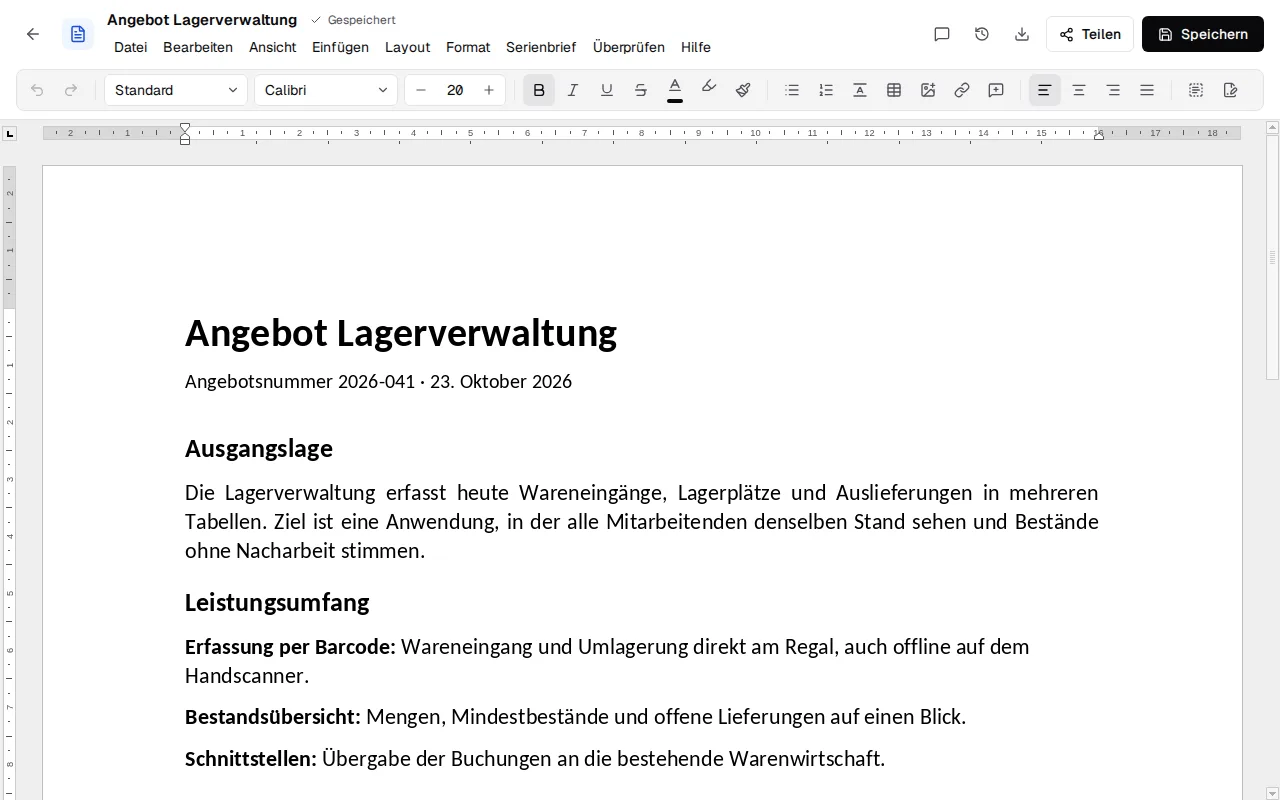
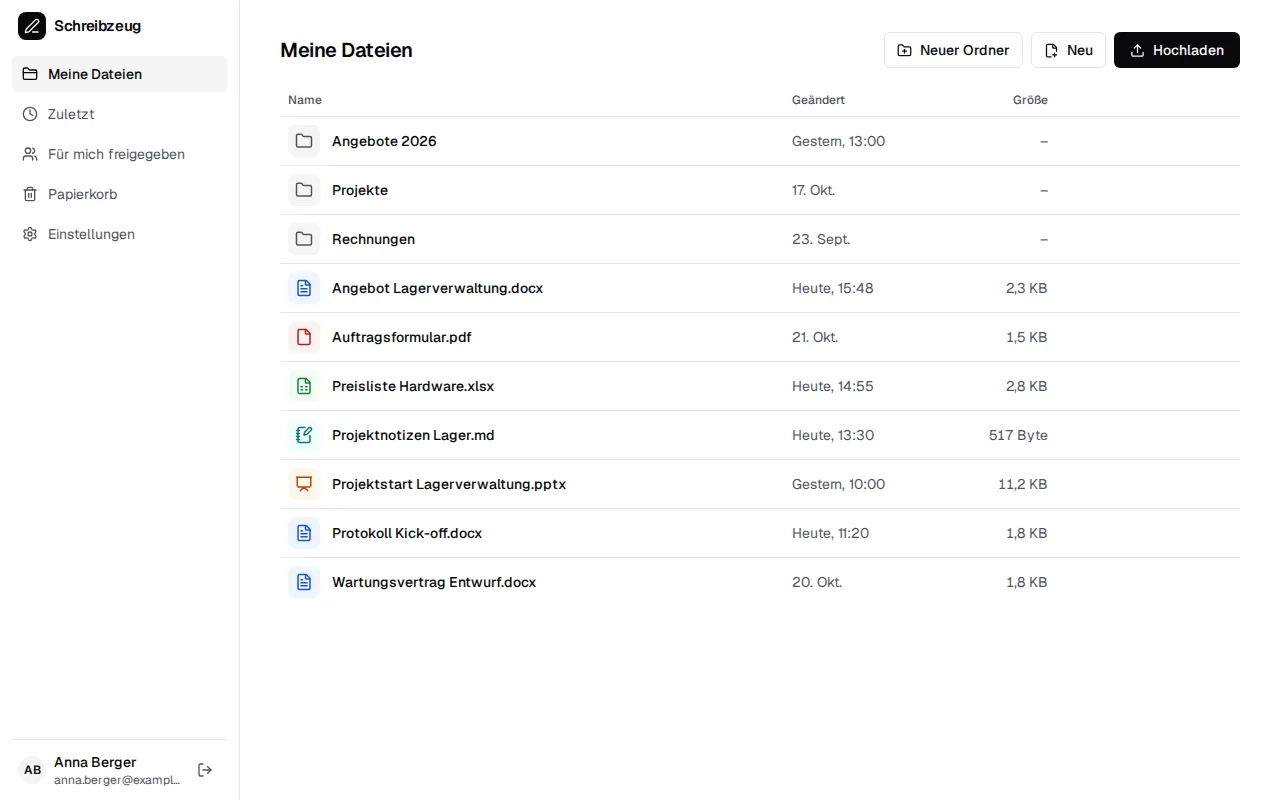
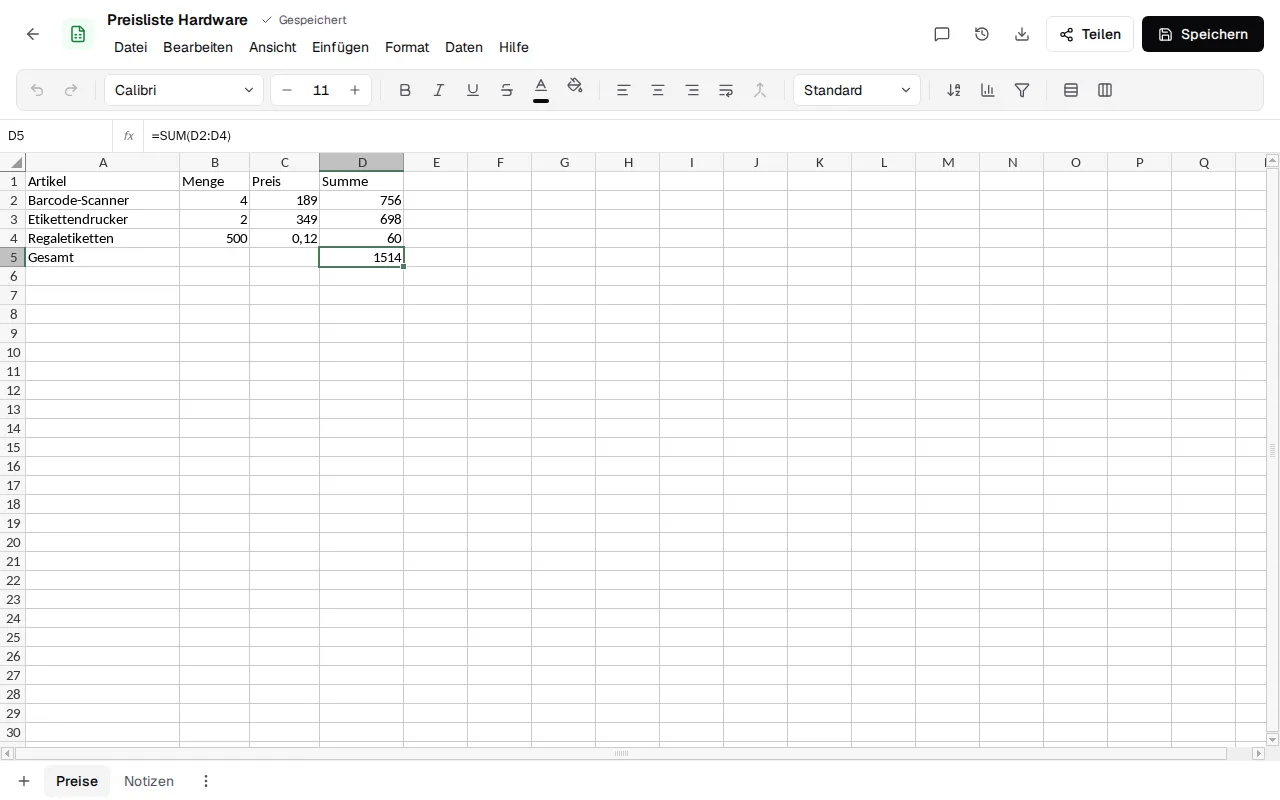
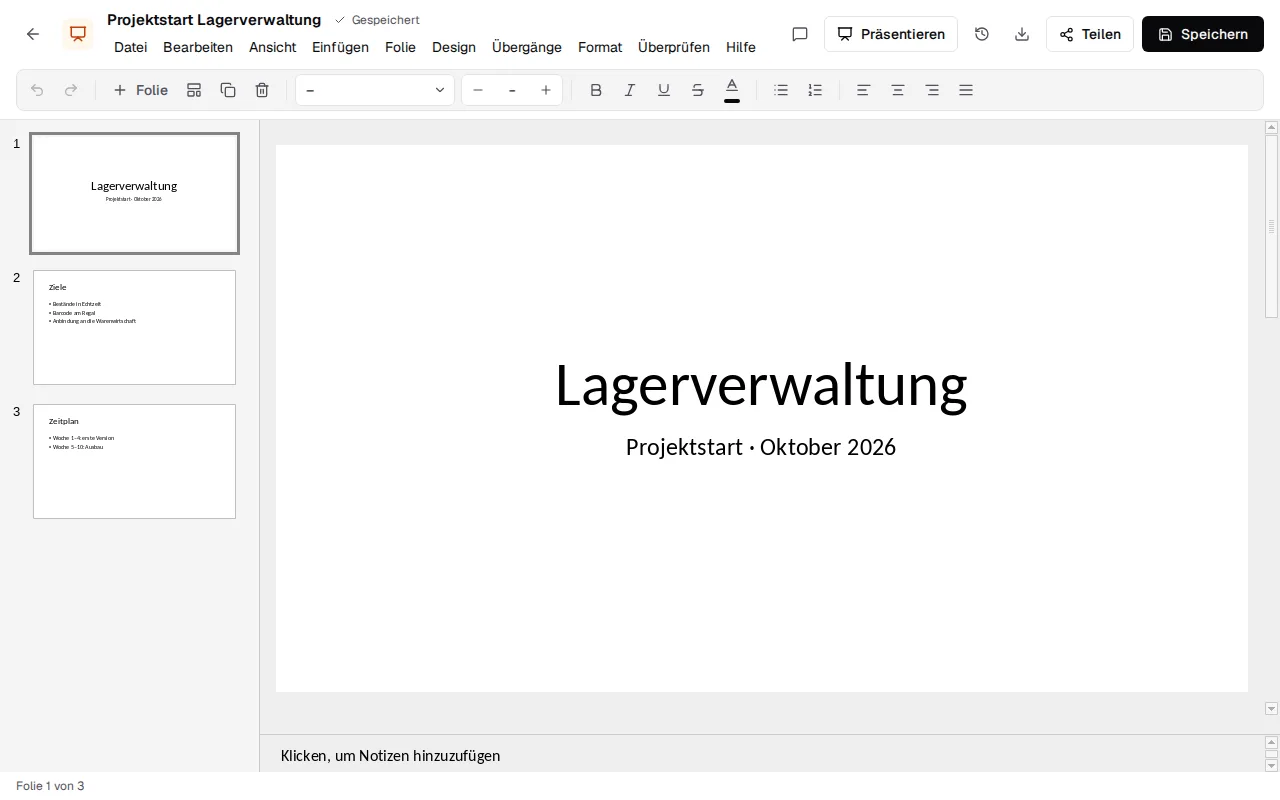
Screenshots from the official Schreibzeug project. Click an image to enlarge it.
All files come directly from the official Schreibzeug project on github.com. Codehimblog does not host or change them. Most PCs need the 64-bit installer.
| File | Size |
|---|---|
| Installer · 64-bitSchreibzeug_0.1.27_x64-setup.exe | 210.3 MB |
| MSI installer (for IT admins) · 64-bitSchreibzeug_0.1.27_x64_en-US.msi | 210.8 MB |
Only needed if the latest version does not work for you. Older versions may miss security fixes.
| Version | Released | Windows download |
|---|---|---|
| 0.1.26 | 23 November 2026 | Download (210.3 MB) |
| 0.1.25 | 20 November 2026 | Download (210.3 MB) |
| 0.1.24 | 19 November 2026 | Download (210.5 MB) |
| 0.1.19 | 4 November 2026 | Download (210.6 MB) |
| 0.1.18 | 1 November 2026 | Download (210.6 MB) |
| 0.1.17 | 1 November 2026 | Download (210.6 MB) |
| 0.1.16 | 31 October 2026 | Download (209.1 MB) |
| 0.1.15 | 30 October 2026 | Download (208.6 MB) |
| Windows | Status |
|---|---|
| Windows 11 | Supported |
| Windows 10 | Supported |
 Windows 8.1 | Not supported |
 Windows 8 | Not supported |
 Windows 7 | Not supported |
Yes, it is free and open source.
The program stores files locally and has no telemetry, so your data stays private.
New versions are released on the project's download page; install the latest installer.
Use Windows' standard Add or Remove Programs feature.
Only for collaboration or AI features; you can use the app offline for local editing.
Free and open source (AGPL-3.0). You can use it for free at home and at work.
More Productivity & Office software and similar free programs for Windows.
Productivity & Office · v0.2.6
A free, open‑source desktop study app that turns your lecture notes, slides, PDFs or exam files into AI‑generated lessons, quizzes, flashcards and mock exams.

Productivity & Office · v0.9.4
An open‑source office suite that mimics Microsoft Office’s ribbon, shortcuts and layout, letting users create and edit Word, Excel and PowerPoint files offline.

Productivity & Office · v0.4.10
Annotate PDFs and organize your knowledge in one place.

Productivity & Office · v0.23.0
A small, fast office suite with Sheets, Docs, and Slides that can open and save Excel, Word, and PowerPoint files on Windows.

Productivity & Office · v1.16.2
A free, open‑source PDF viewer and editor for Windows that lets you read, comment, edit text and images, fill and sign forms, protect, redact and export PDFs without watermarks or accounts.

Productivity & Office · v0.1.8
An open‑source office suite that lets you create and edit Word, Excel, PowerPoint, PDF and code files with built‑in AI assistance, available as a free desktop app for Windows.

Productivity & Office · v0.12.20
Readest is a free, open‑source ebook reader for Windows that handles many ebook formats, lets you annotate, search, and customize the reading view.

Productivity & Office · v1.2.7
A lightweight Markdown editor for Windows with live preview, outline navigation, KaTeX and Mermaid support.

Productivity & Office · v0.4.7
Arara is a free, open‑source voice dictation app that works locally and pastes transcribed text wherever the cursor is placed.

Productivity & Office
DartPDF is a free, local PDF editor for Windows that lets you annotate, fill forms, sign, redact and compress PDFs without needing an account.

Productivity & Office · v0.18.1
DeckCraft is an open‑source presentation creator that lets you design, edit and present slide decks with themes, shapes, media and export options.

Productivity & Office · v1.18.0
LogiSheets is an AI‑friendly spreadsheet program that works with real Excel (.xlsx) files and lets both people and AI agents edit data together.