
DeepSeek Harness Desktop
Developer Tools
An open‑source Windows desktop client that provides a graphical interface for the DeepSeek Harness AI model, with built‑in plugins, skills, SSH access and customizable skins.
Open sourceWin 11Win 10

A native Windows client that lets you view and manage terminal sessions, Git worktrees, and AI agent activity through a local Herdr daemon.
 Win 11
 Win 10
Version 20261115.1 · 64-bit · Installer · official file from github.com
Sheprd provides a graphical workspace for working with multiple terminal sessions, repositories and AI agents in one window. It connects to a Herdr daemon to show live terminal output, organize worktrees, and interact with agents.
Sheprd is a Rust‑based GUI that brings together terminal windows, Git worktrees, and AI agents. The sidebar shows workspaces, repositories, and agents with status indicators. You can open multiple tabs, split panes, and create or delete worktrees directly from the interface. The app lets you review changes, add notes, and send them to agents, as well as annotate web pages and control remote sessions from a phone. Features such as Teleport let you move a worktree with its state to another host. System notifications inform you about agent activity. Sheprd works with the bundled Herdr‑core daemon, so a separate Herdr installation is optional.
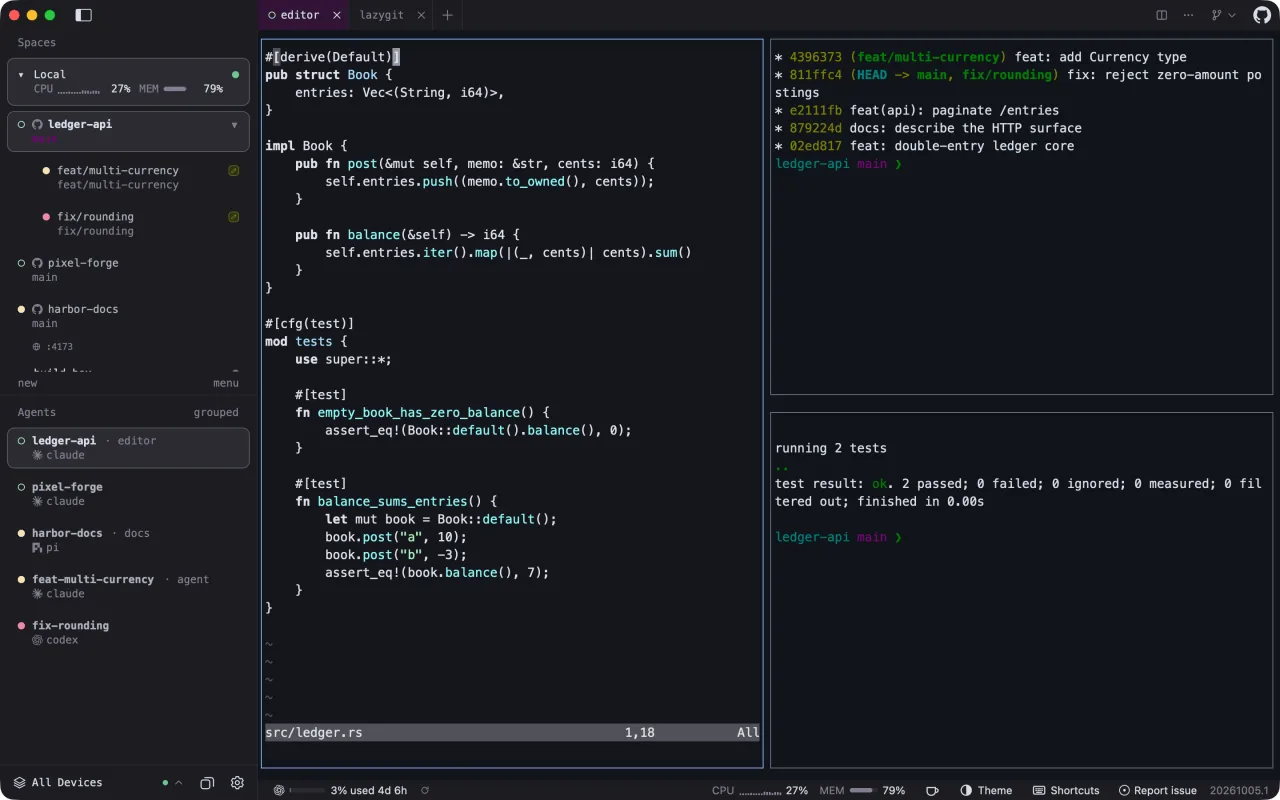
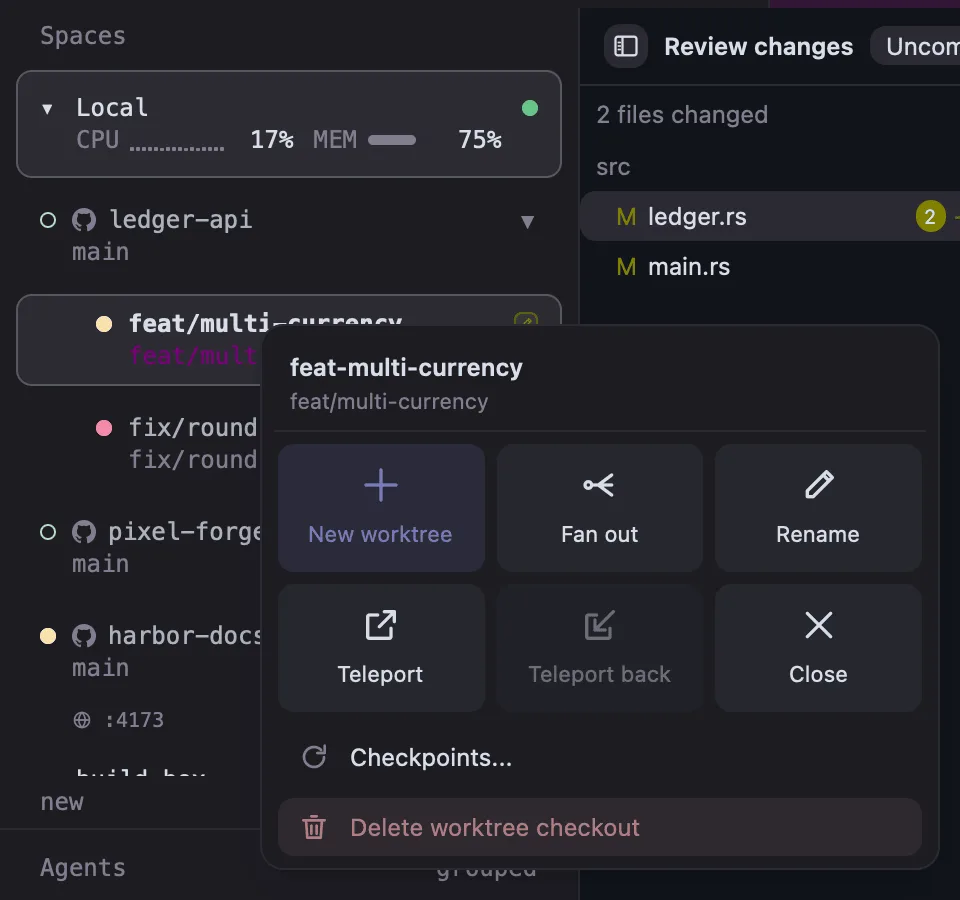
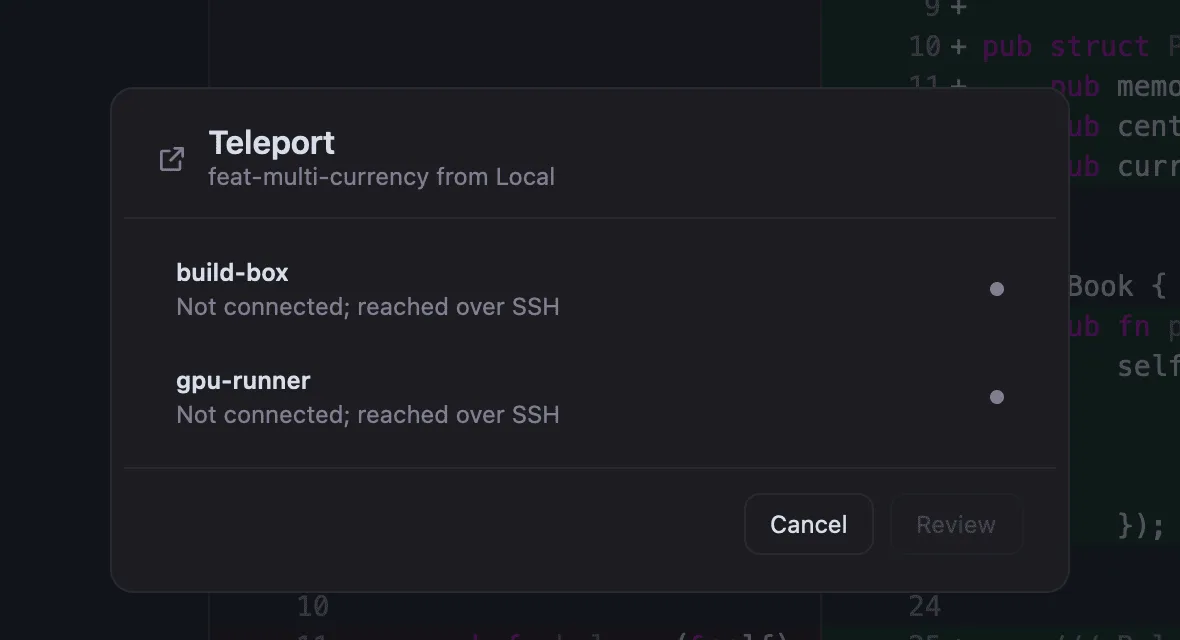
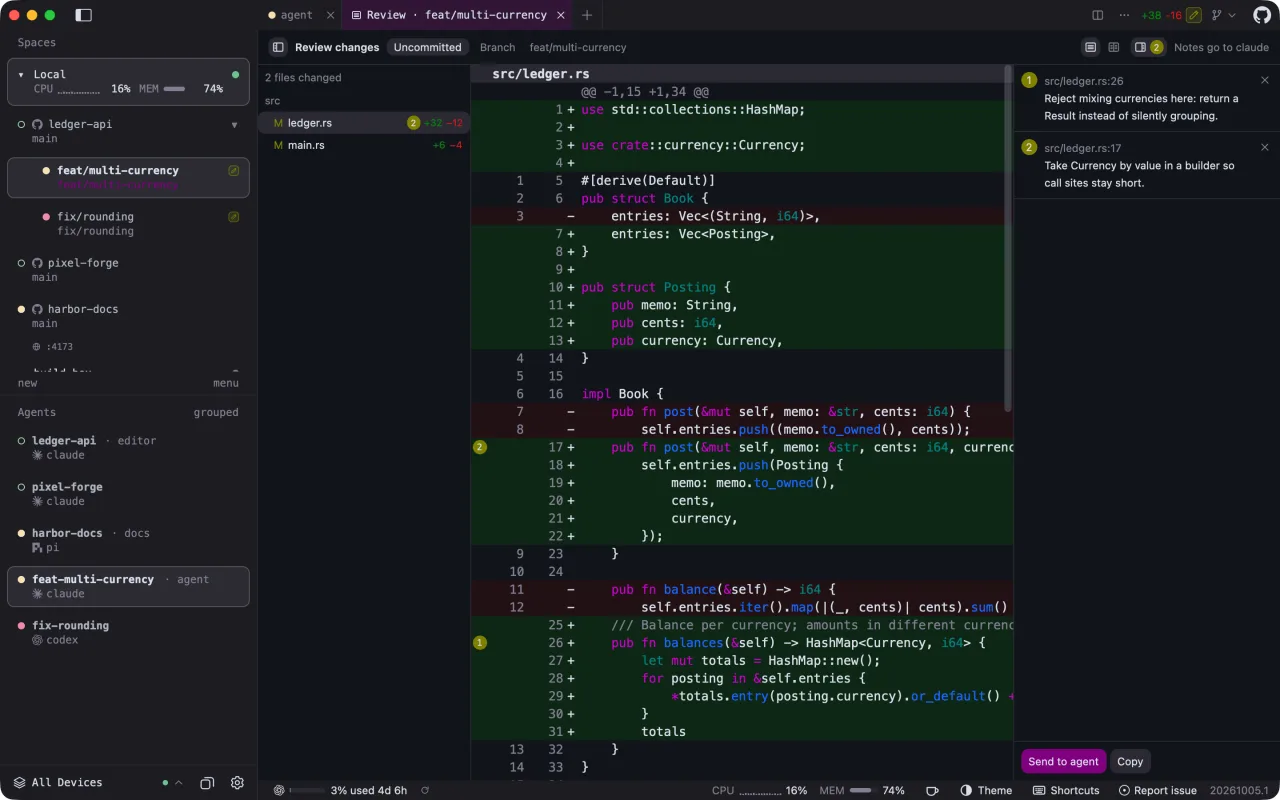
Screenshots from the official Sheprd project. Click an image to enlarge it.
All files come directly from the official Sheprd project on github.com. Codehimblog does not host or change them. Most PCs need the 64-bit installer.
| File | Size |
|---|---|
| Installer · 64-bitSheprd-20261115.1-x86_64-pc-windows-msvc-setup.exe | 65.2 MB |
| Installer · ARMSheprd-20261115.1-aarch64-pc-windows-msvc-setup.exe | 59.4 MB |
| Portable version (no install needed) · 64-bitSheprd-20261115.1-x86_64-pc-windows-msvc.zip | 95.4 MB |
| Portable version (no install needed) · ARMSheprd-20261115.1-aarch64-pc-windows-msvc.zip | 88.9 MB |
Only needed if the latest version does not work for you. Older versions may miss security fixes.
| Windows | Status |
|---|---|
| Windows 11 | Supported |
| Windows 10 | Supported |
 Windows 8.1 | Not supported |
 Windows 8 | Not supported |
 Windows 7 | Not supported |
Yes, it is free and open source.
The Windows installers are Authenticode‑signed by the developers.
The app can update itself from within the program.
Remove it like any other Windows program via Settings → Apps.
Only if you connect to remote hosts or use cloud‑based agents; local use works offline.
Free and open source (Apache-2.0). You can use it for free at home and at work.
More Developer Tools software and similar free programs for Windows.
Developer Tools
An open‑source Windows desktop client that provides a graphical interface for the DeepSeek Harness AI model, with built‑in plugins, skills, SSH access and customizable skins.

Developer Tools · v5.11.8
Free and open‑source client for terminal, SSH, SFTP, FTP, Telnet, serial port, RDP, VNC and Spice connections.

Developer Tools · v3.59.0
OpenAgentd is a desktop application that runs a coding assistant locally, showing every tool call, file change and terminal output while you work on a project.

Developer Tools · v0.25.0
A Rust‑native coding‑agent runtime with a terminal interface that lets you run AI‑powered coding sessions and extend functionality with plugins.

Developer Tools
An open-source AI coding agent that can be used from the terminal, desktop app, IDEs, browsers and chat integrations.

Developer Tools · v1.3.28
A server that lets AI agents control Windows applications through UI Automation, enabling clicks, typing, and reading of controls without relying on screen coordinates.

Developer Tools · v0.37.0
A personal AI agent that runs in the terminal, able to write code, use the web, run shell commands and more, with support for many AI models.

Developer Tools · v0.107.0
Estella is a fast 2D and 3D game engine with a visual editor that can be driven by AI agents and can export projects to web, desktop, and mobile platforms.
Developer Tools · v0.24.0
A server that exposes WinDbg/DbgEng debugging capabilities to AI agents via standard input/output or HTTP.

Developer Tools · v8.9.9.1
A free, open-source source code and text editor for Windows with syntax highlighting, tabs, powerful search and plugin support.
Developer Tools · v1.12.0
A lightweight command‑line tool that runs focused LLM‑powered agents defined in simple configuration files.

Developer Tools · v0.6.9
Jenv is a command‑line tool that lets you manage multiple Java versions on your computer, allowing easy switching, adding, and removal of JDK installations.