
SolidCraft
Graphics & Image Editing · v0.43.0
SolidCraft is an open‑source parametric 3D CAD application written in Rust, allowing you to sketch, constrain, extrude and modify models through a feature timeline.
Open sourceWin 11Win 10

BenchUp is a free, open‑source 3D modeling program for woodworking and furniture design, letting you plan boards, joints and assemblies with exact measurements.
 Win 11
 Win 10
Version 0.7.4 · 64-bit · Installer · official file from github.com
BenchUp provides a desktop 3D editor built with Rust, WebAssembly and WebGPU. It runs on Windows and lets woodworkers create detailed models of shelves, tables, cabinets and other projects before building them.
The program offers a full set of modeling tools such as select, line, rectangle, circle, polygon, freehand, push/pull, scale, offset, move, rotate, paint, tape measure, protractor and dimensions. Geometry snaps automatically and you can group parts or create reusable components. All changes are undoable and saved locally in portable .bup files, with support for older .k3d and .ketchup projects. You can import SketchUp .skp files and export Wavefront .obj files.
Woodworking features include a library of joinery types—mortise‑and‑tenon, dovetail, finger, biscuit, domino and more—each with live previews and automatic updates when parts move. The router tool lets you apply edge profiles such as chamfer, bevel, round‑over or bead. Procedural wood material shows grain direction and finishing steps directly on the model. Project estimates can include work rates and drying times.
The workspace also supports reference volumes for 3D printing limits, fractional‑inch measurements, and AI agents that can assist with modeling tasks.
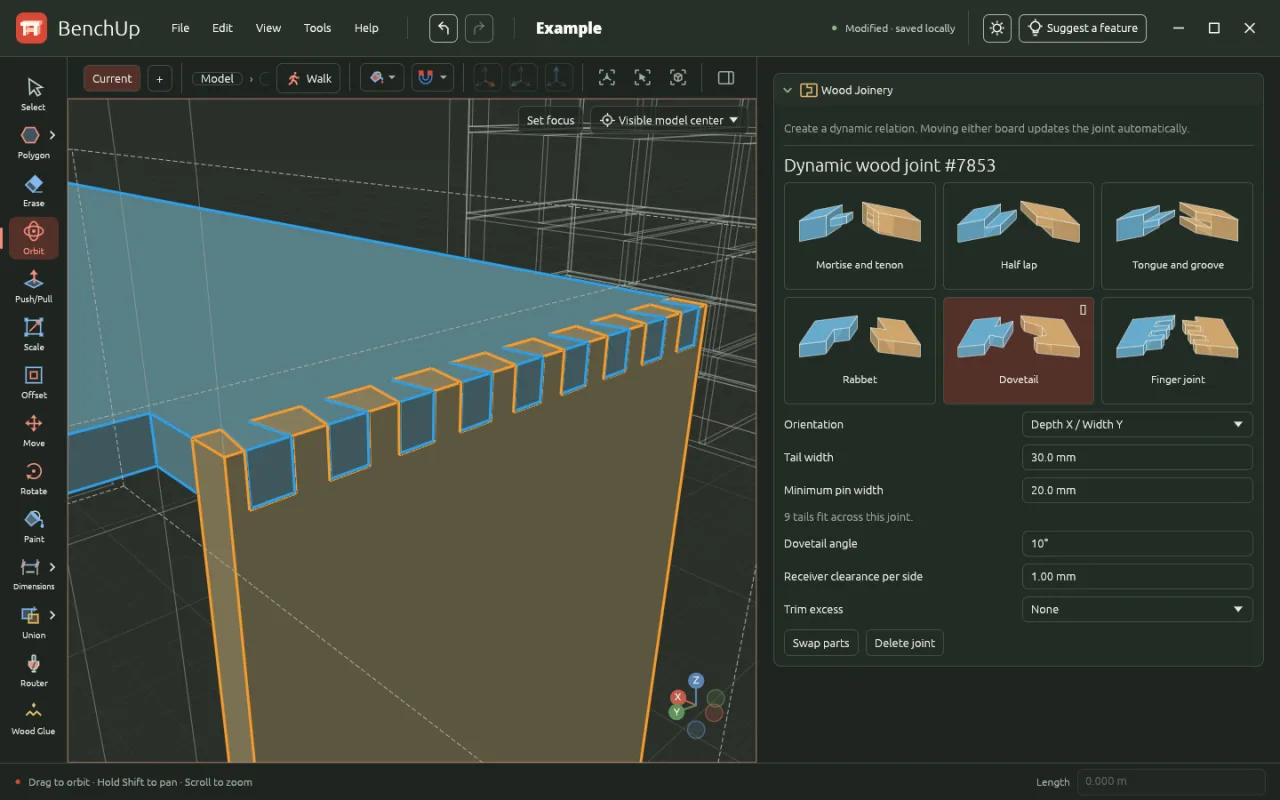
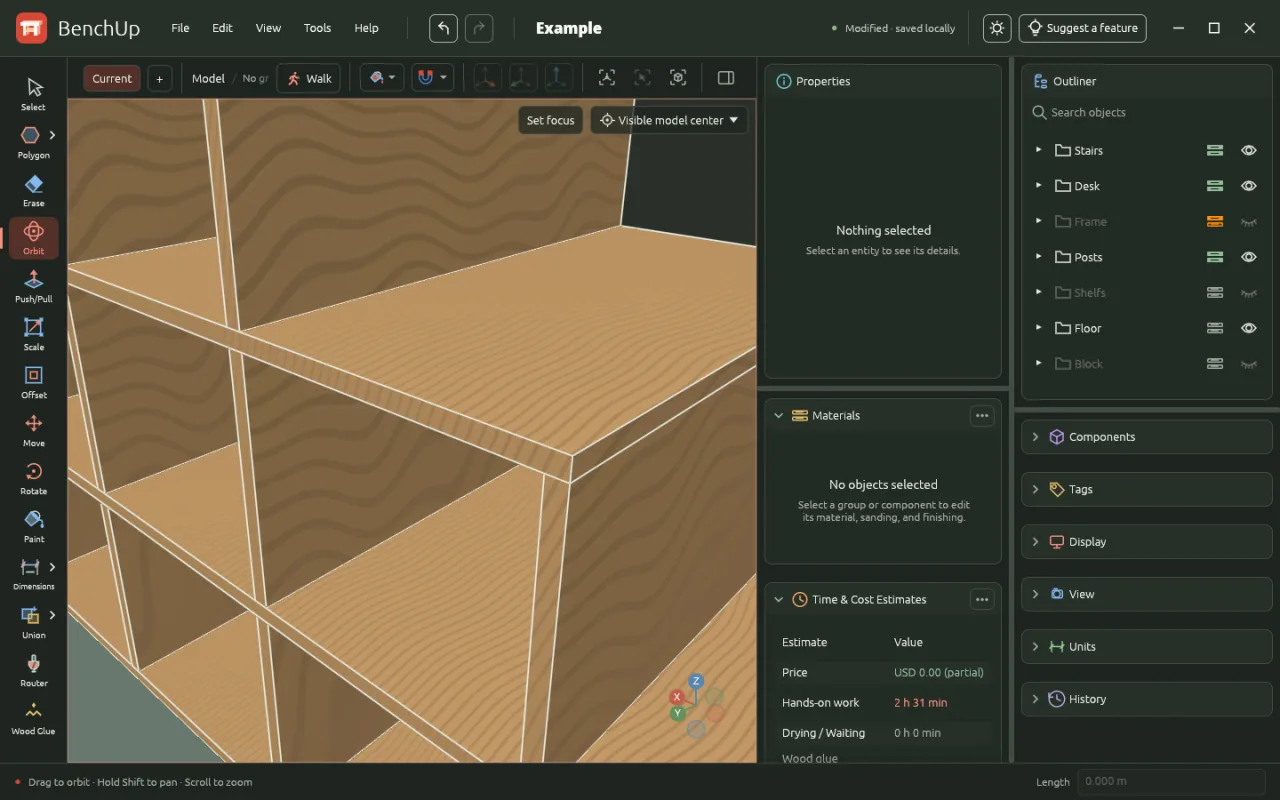
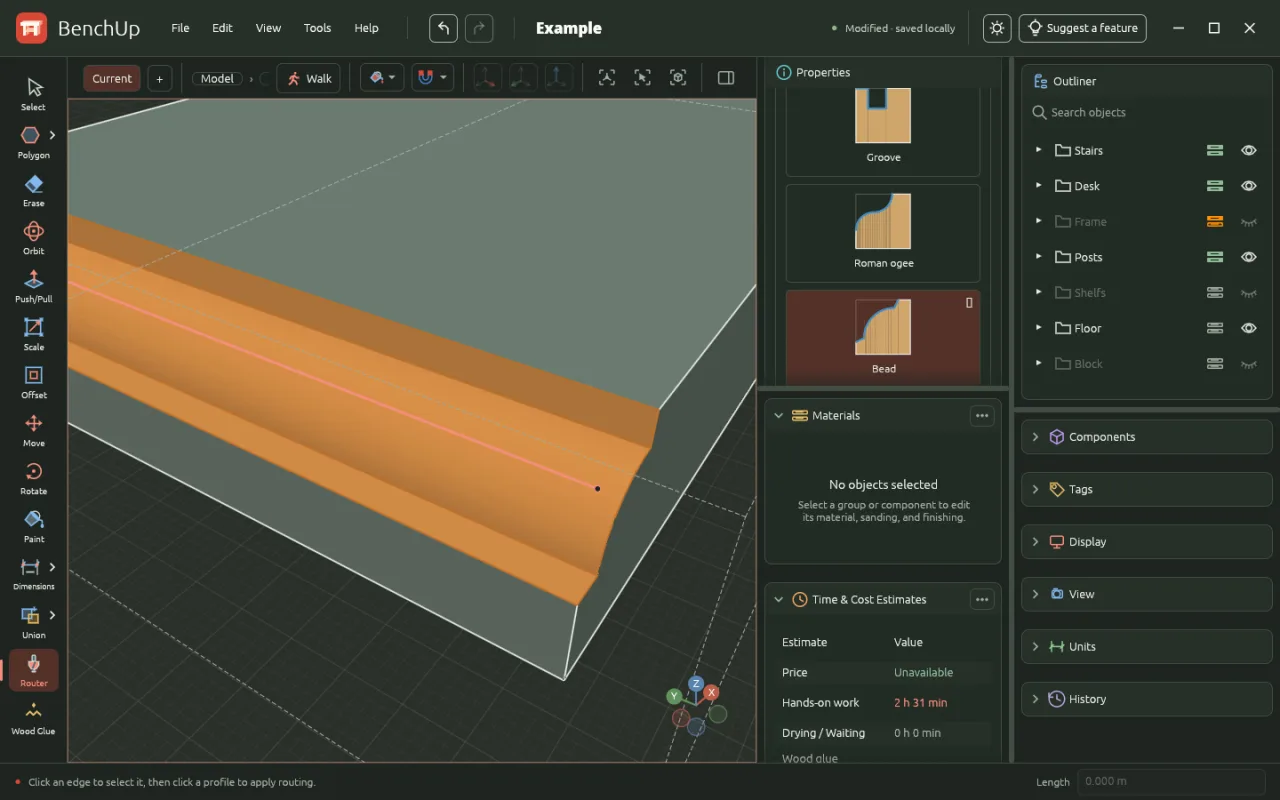
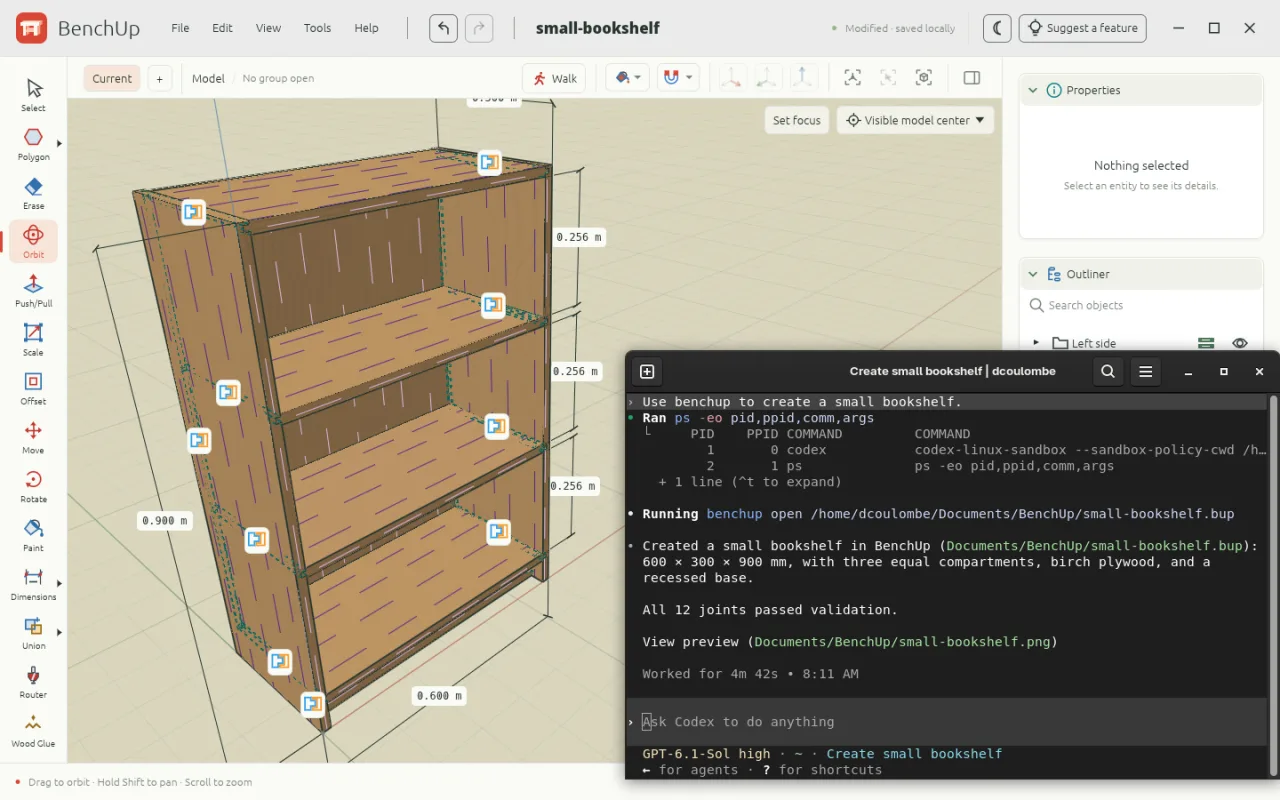
Screenshots from the official BenchUp project. Click an image to enlarge it.
All files come directly from the official BenchUp project on github.com. Codehimblog does not host or change them. Most PCs need the 64-bit installer.
| File | Size |
|---|---|
| Installer · 64-bitio.github.BenchUp3D.BenchUp-win-x64-Setup.exe | 34.2 MB |
| Portable version (no install needed) · 64-bitio.github.BenchUp3D.BenchUp-win-x64-Portable.zip | 27.0 MB |
Only needed if the latest version does not work for you. Older versions may miss security fixes.
| Version | Released | Windows download |
|---|---|---|
| 0.7.3 | 15 November 2026 | Download (33.2 MB) |
| 0.7.2 | 14 November 2026 | Download (33.2 MB) |
| 0.7.1 | 12 November 2026 | Download (32.4 MB) |
| 0.7.0 | 12 November 2026 | Download (32.3 MB) |
| 0.6.8 | 11 November 2026 | Download (31.5 MB) |
| 0.6.7 | 10 November 2026 | Download (22.4 MB) |
| 0.6.6 | 9 November 2026 | Download (22.0 MB) |
| 0.6.5 | 7 November 2026 | Download (21.6 MB) |
| Windows | Status |
|---|---|
| Windows 11 | Supported |
| Windows 10 | Supported |
 Windows 8.1 | Not supported |
 Windows 8 | Not supported |
 Windows 7 | Not supported |
Yes, it is free and open‑source.
The software is released under the MIT license and contains no hidden components.
New versions are provided as Windows installers on the project's release page.
Uninstall it through the standard Windows Add or Remove Programs control panel.
No, the desktop version works fully offline after installation.
Free and open source (MIT). You can use it for free at home and at work.
More Graphics & Image Editing software and similar free programs for Windows.
Graphics & Image Editing · v0.43.0
SolidCraft is an open‑source parametric 3D CAD application written in Rust, allowing you to sketch, constrain, extrude and modify models through a feature timeline.

Graphics & Image Editing · v0.1.26
WooHaa3 is a canvas‑style multimedia creation workspace that lets you combine text, images, audio, video and 3D assets in a single workspace and use AI to generate and edit content.
Graphics & Image Editing · v0.6.0
A fast, non‑destructive RAW photo editor with Lightroom‑style controls for Windows.

Graphics & Image Editing · v0.45.0
Immage is a raw photo editor that provides familiar panels, sliders and shortcuts for editing photos, built on darktable.

Graphics & Image Editing · v0.0.6-beta
ProCraft is an open‑source painting program for Windows that offers pressure‑sensitive brushes, layers, adjustments, animation and 3D painting using its own Rust engine and GPU renderer.

Graphics & Image Editing · v0.13.6
Free, open‑source 3D sculpting software with brushes, symmetry, AI‑generated brushes and export options for game pipelines.
Graphics & Image Editing · v0.11.0
A professional raw photo editor with accurate color, for Linux, macOS and Windows.

Graphics & Image Editing
FerrumPix is a desktop photo manager and image editor that lets you organize, view, and edit photos on your computer.

Graphics & Image Editing · v0.5.1
A self‑hostable slicer for non‑planar 3D printing built on the OrcaSlicer engine.

Graphics & Image Editing · v0.3.23
An open‑source Canva‑like editor that runs in the browser and can be self‑hosted.

Graphics & Image Editing · v1.2.11
Chromasmith is a free offline photo editor that offers film‑style looks, grain, halation, RAW development and basic retouching tools.

Graphics & Image Editing · v1.0.138
PicasaPy is a free, open‑source photo manager and editor for Windows that works with the same .picasa.ini format as the original Google Picasa.