
Meron
Productivity & Office · v0.6.0
A fast and secure email client that offers unified inbox, kanban board and chat views.
Open sourceWin 11Win 10

Macro is an all‑in‑one workspace that combines email, chat, documents, tasks, calls, CRM and more into a single searchable interface for teams.
 Win 11
 Win 10
Version 2026.11.23.0 · 64-bit · Portable · official file from github.com
Macro provides a unified environment where teams can handle email, messaging, documents, tasks, calls, agents, CRM and file storage without switching between separate tools. Everything is linked and searchable, making collaboration faster and more organized.
Macro aims to be a single operating system for work. It offers multiple blocks such as a unified inbox for several email accounts, channel‑based messaging, task management integrated with email and chats, real‑time collaborative markdown documents, a 2‑D canvas for visual planning, AI agents that can automate actions, recorded calls with transcripts, searchable file storage, GitHub pull‑request linking, a built‑in CRM, relational databases and calendar syncing. The interface is keyboard‑focused and all items are connected through a bidirectional graph, so you can jump from a document to a related task or from an email to a chat message instantly.
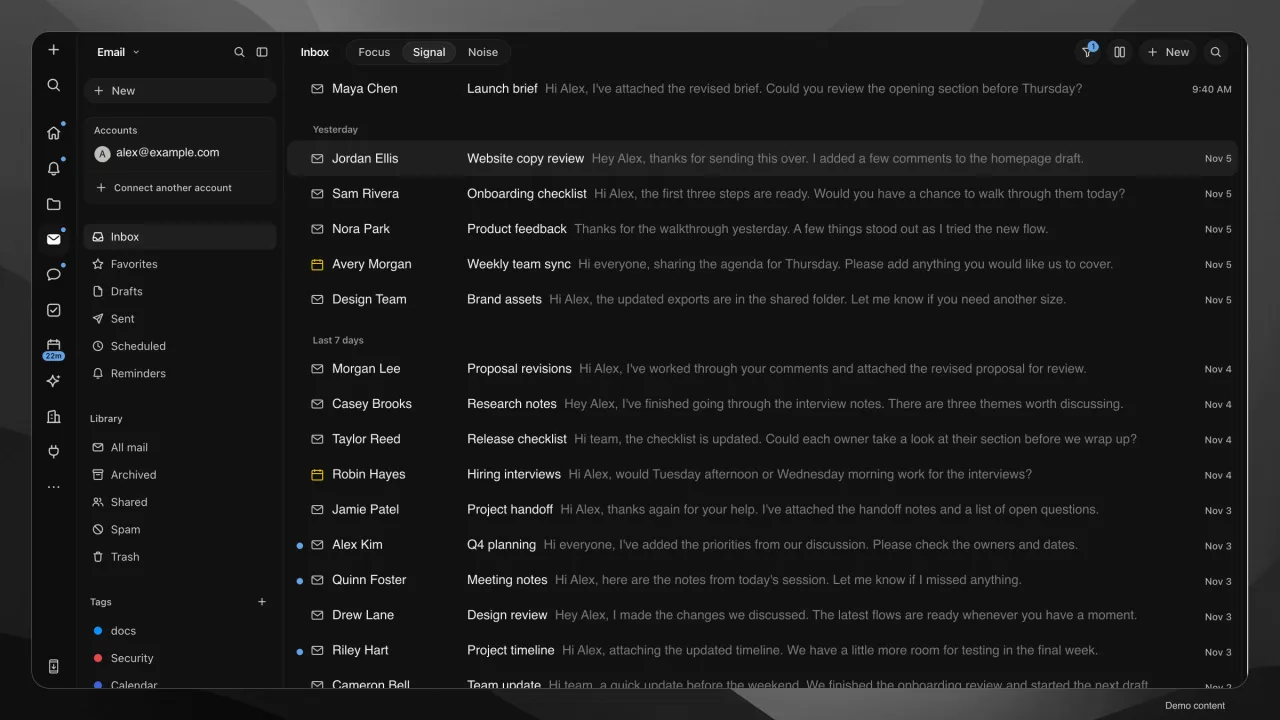
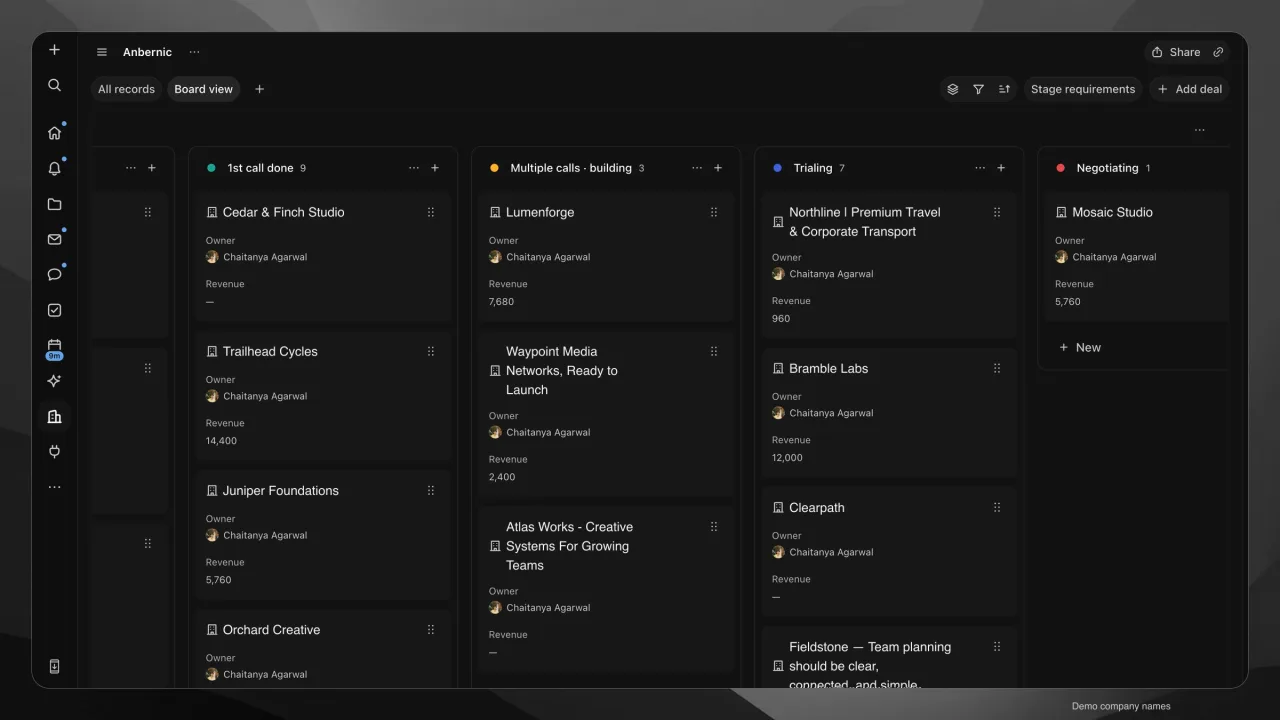
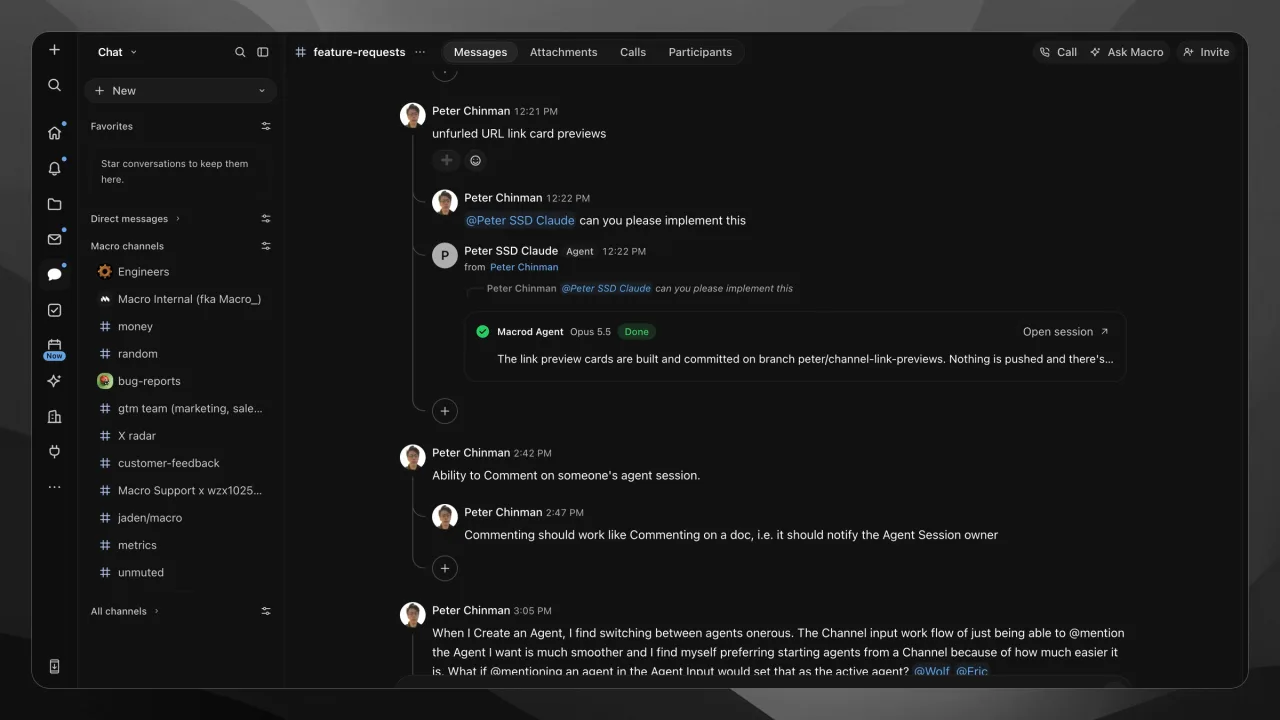
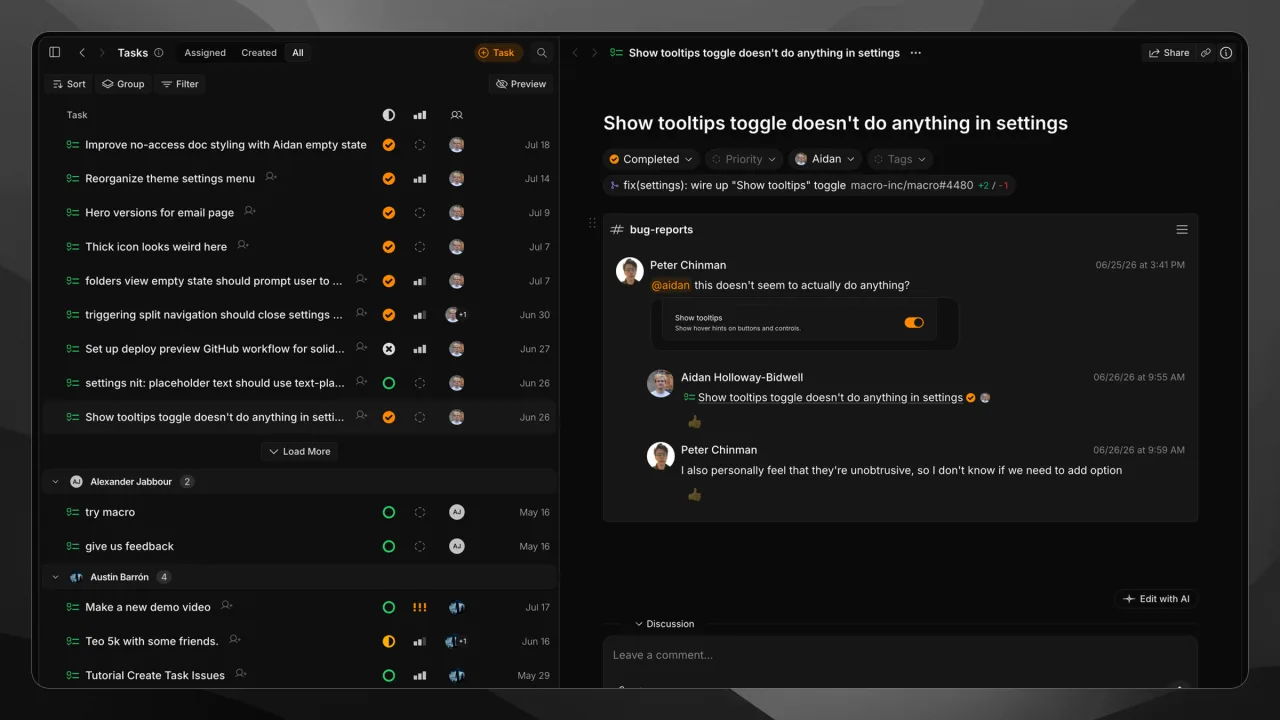
Screenshots from the official Macro project. Click an image to enlarge it.
All files come directly from the official Macro project on github.com. Codehimblog does not host or change them. Most PCs need the 64-bit installer.
| File | Size |
|---|---|
| Portable version (no install needed) · 64-bitmacrod-v2026.11.23.0-windows-x86_64.zip | 8.0 MB |
| Portable version (no install needed) · 64-bitmacrod-windows-x86_64.zip | 8.0 MB |
Only needed if the latest version does not work for you. Older versions may miss security fixes.
| Version | Released | Windows download |
|---|---|---|
| 2026.11.19.1 | 20 November 2026 | Download (7.3 MB) |
| 2026.11.19.0 | 19 November 2026 | Download (7.3 MB) |
| 2026.11.18.1 | 19 November 2026 | Download (7.3 MB) |
| 2026.11.18.0 | 18 November 2026 | Download (7.3 MB) |
| 2026.11.17.1 | 18 November 2026 | Download (7.3 MB) |
| 2026.11.17.0 | 17 November 2026 | Download (7.3 MB) |
| 2026.11.16.1 | 16 November 2026 | Download (7.3 MB) |
| 2026.11.16.0 | 16 November 2026 | Download (7.3 MB) |
| Windows | Status |
|---|---|
| Windows 11 | Supported |
| Windows 10 | Supported |
 Windows 8.1 | Not supported |
 Windows 8 | Not supported |
 Windows 7 | Not supported |
Yes, Macro is free and open source.
The software is released under the AGPL‑3.0 license and can be inspected publicly.
Download the latest Windows zip from the official release page when a new version is published.
Delete the extracted folder; no additional uninstall steps are required.
An internet connection is required for syncing email, chat, calls and other online features.
Free and open source (AGPL-3.0). You can use it for free at home and at work.
More Productivity & Office software and similar free programs for Windows.
Productivity & Office · v0.6.0
A fast and secure email client that offers unified inbox, kanban board and chat views.

Productivity & Office · v1.0.100
Command‑line interface for Lark/Feishu that lets you manage messages, documents, calendars, files and other business features from a terminal.

Productivity & Office · v1.1.271
Codecast is a desktop workspace that lets teams collaborate with AI coding agents, combining chat, calls, tasks, documents and version control in one interface.

Productivity & Office · v0.18.0
Docbank is an open‑source local document vault that stores PDFs, images, text files and other records, makes their text searchable, tracks versions and lets you export verified bundles.

Productivity & Office · v1.7.8.5
A lightweight native Markdown editor for Windows that focuses on clean writing, visual editing and rich export options.

Productivity & Office · v0.44.0
WinShun is a free, open‑source Windows search launcher that lets you find files, content inside documents, apps, settings and clipboard history by pressing Ctrl twice.

Productivity & Office · v0.1.27
Self‑hosted office suite that lets you edit Word, Excel, PowerPoint and PDF files locally, with real‑time collaboration and no external document server.
Productivity & Office · v4.4.6
Noobot is a self‑hosted AI agent workspace that lets you run chat‑based workflows, use built‑in tools, and create 3D character animations from plain language prompts.

Productivity & Office · v1.7.2
A free, open‑source Markdown viewer and editor that lets you browse, search and edit Markdown files in a fast, private workspace.

Productivity & Office · v1.4.272
Orca is a desktop app that lets you run multiple AI coding agents, switch between chat and terminal interfaces, and coordinate their work across local and remote machines.

Productivity & Office · v0.57.29
Spacewave is a self‑hosted, browser‑based workspace that runs locally without any server, offering encrypted peer‑to‑peer sync and collaborative spaces for files, notes, apps and more.

Productivity & Office · v0.4.10
Annotate PDFs and organize your knowledge in one place.