
PhotoCraft Companion
Graphics & Image Editing · v2.1.1
An extensible companion for the PhotoCraft graphics editor that adds AI-powered tools, a floating tool palette, and a plugin marketplace.
Open sourceWin 11Win 10

OpenDesign is a collaborative AI‑powered workspace for creating motion graphics, prototypes, websites, apps, dashboards, presentations, images and videos with your team and AI agents.
 Win 11
 Win 10
64-bit · Installer · official file from github.com
OpenDesign provides a single interface where you can start a design brief, let an AI agent generate a prototype, and then refine the result together with teammates. It combines design assets, AI assistance and project management in one place.
The program lets you organize projects, store design systems, and use plugins called Skills to run AI agents for specific tasks. You can view and edit design systems such as brand assets, launch plugins directly, and see live previews of prototypes. All work is stored locally, and the workspace can be shared with others for feedback. OpenDesign is open source and free to use under the Apache‑2.0 license.
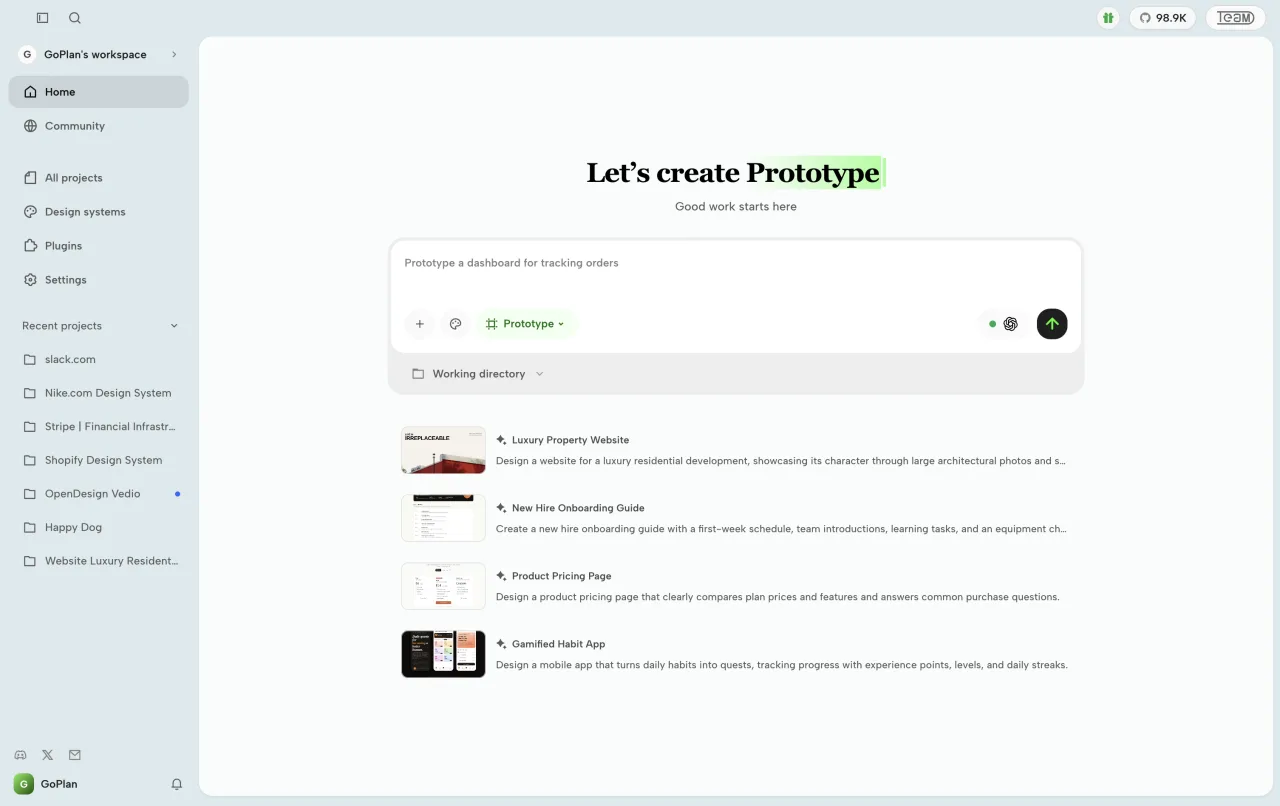
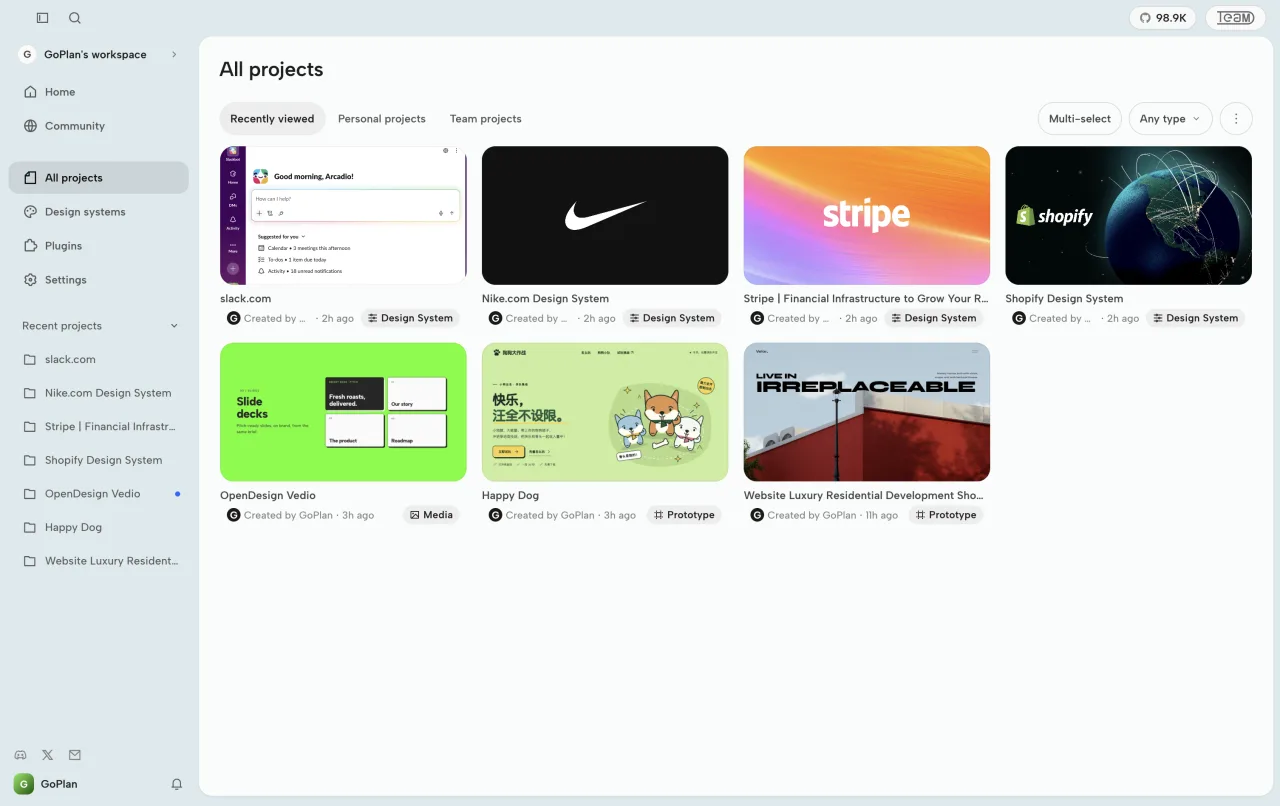
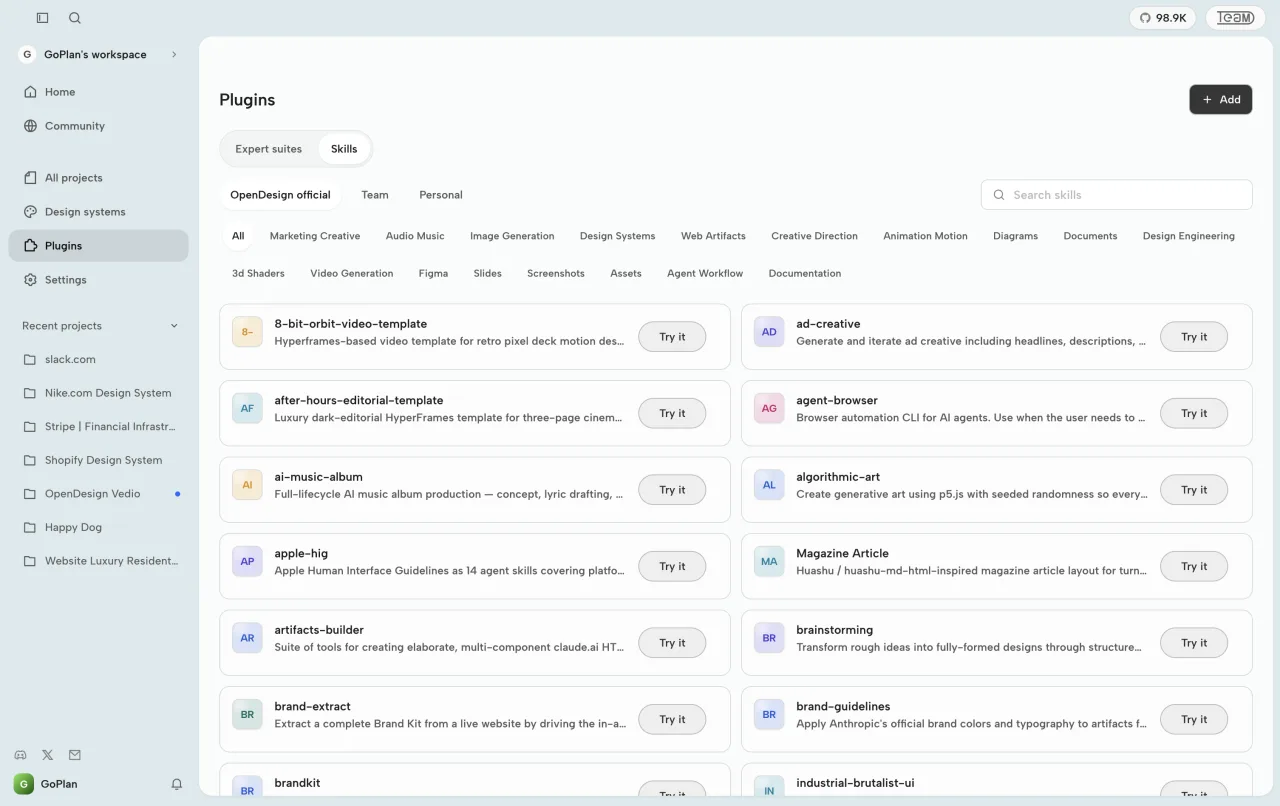
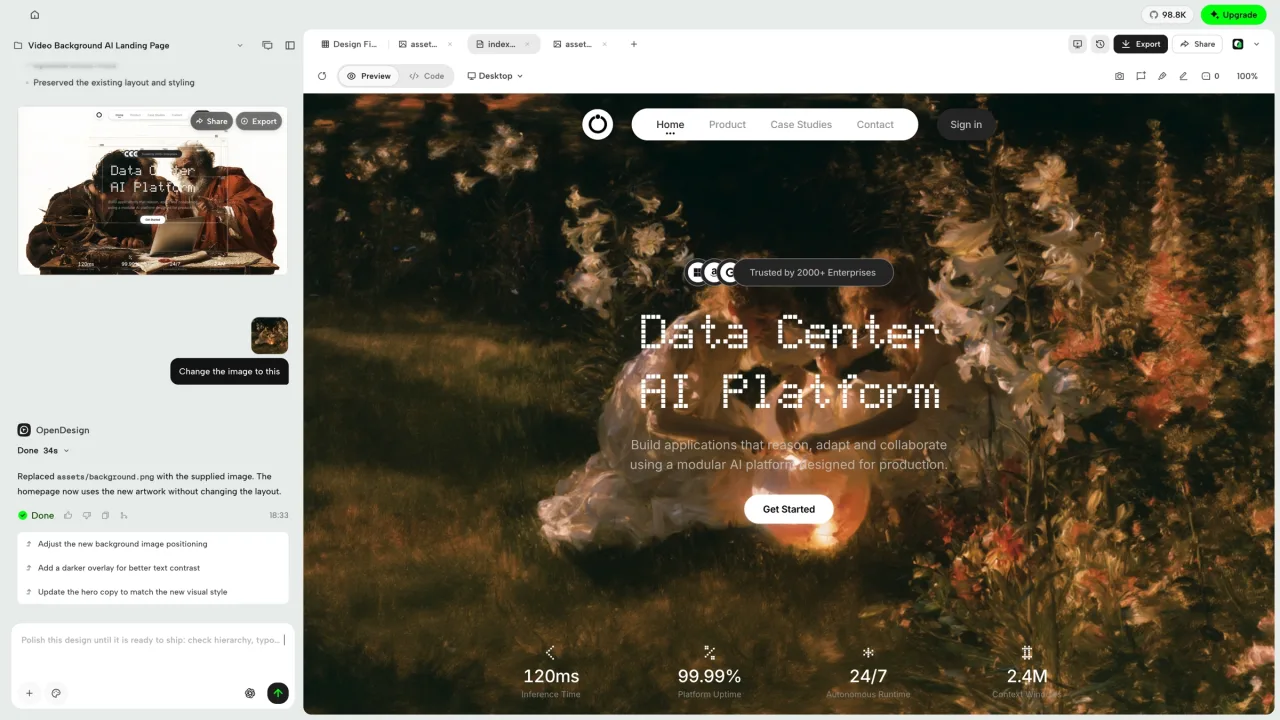
Screenshots from the official OpenDesign project. Click an image to enlarge it.
All files come directly from the official OpenDesign project on github.com. Codehimblog does not host or change them. Most PCs need the 64-bit installer.
| File | Size |
|---|---|
| Installer · 64-bitopen-design-0.27.2-win-x64-setup.exe | 444.4 MB |
Only needed if the latest version does not work for you. Older versions may miss security fixes.
| Version | Released | Windows download |
|---|---|---|
| open-design-v0.27.1 | 10 November 2026 | Download (444.0 MB) |
| open-design-v0.27.0 | 4 November 2026 | Download (443.0 MB) |
| open-design-v0.26.1 | 22 October 2026 | Download (422.6 MB) |
| open-design-v0.26.0 | 20 October 2026 | Download (422.5 MB) |
| open-design-v0.25.0 | 15 October 2026 | Download (422.3 MB) |
| open-design-v0.24.1 | 24 September 2026 | Download (417.9 MB) |
| open-design-v0.24.0 | 22 September 2026 | Download (417.7 MB) |
| open-design-v0.23.0 | 20 September 2026 | Download (417.7 MB) |
| Windows | Status |
|---|---|
| Windows 11 | Supported |
| Windows 10 | Supported |
Yes, it is free and open source.
The installer is provided by the official project and does not contain hidden malware.
Run the built‑in update check or download the latest installer from the project’s release page.
Use Windows' standard Add or Remove Programs feature.
An internet connection is required for AI features and cloud services, but you can use the local workspace offline.
Free and open source (Apache-2.0). You can use it for free at home and at work.
More Graphics & Image Editing software and similar free programs for Windows.
Graphics & Image Editing · v2.1.1
An extensible companion for the PhotoCraft graphics editor that adds AI-powered tools, a floating tool palette, and a plugin marketplace.

Graphics & Image Editing · v0.1.26
WooHaa3 is a canvas‑style multimedia creation workspace that lets you combine text, images, audio, video and 3D assets in a single workspace and use AI to generate and edit content.

Graphics & Image Editing · v0.3.25
An open‑source Canva‑like editor that runs in the browser and can be self‑hosted.

Graphics & Image Editing · v7.1.2-36
ImageMagick is a free suite for creating, editing, converting and displaying digital images, supporting hundreds of formats.

Graphics & Image Editing · v0.6.1.0
VirtualPaper is a free, open‑source wallpaper application for Windows that lets you use images, videos, GIFs and interactive web wallpapers with built‑in editing, 3D parallax and atmosphere effects.

Graphics & Image Editing · v1.40.3
A free, non‑destructive RAW photo editor for Windows that uses GPU acceleration and AI tools for upscaling and motion deblur.
Graphics & Image Editing · v0.3.0
A Windows port of the open‑source Compositor image editor, offering layer‑based painting and basic photo‑editing tools in a single‑file project format.

Graphics & Image Editing · v2.9.0
DRAW is a pixel art editor that lets you create and edit pixel graphics and export them as source code.

Graphics & Image Editing · v0.5.1
Open‑source 2D skeletal animation editor for creating and exporting animations for games and film.

Graphics & Image Editing · v1.0.0
A free, open‑source browser‑based raster and vector image editor that works like Photoshop, with layers, masks, filters and adjustments, all running locally on your computer.

Graphics & Image Editing · v0.7.4
BenchUp is a free, open‑source 3D modeling program for woodworking and furniture design, letting you plan boards, joints and assemblies with exact measurements.

Graphics & Image Editing · v0.4.0
Kooka Pictura is a layered photo editor that can open and save Photoshop PSD/PSB files and supports many common image formats.